



Last updated: May 24, 2026
10 AI benefits for SMEs: practical ROI and real cases
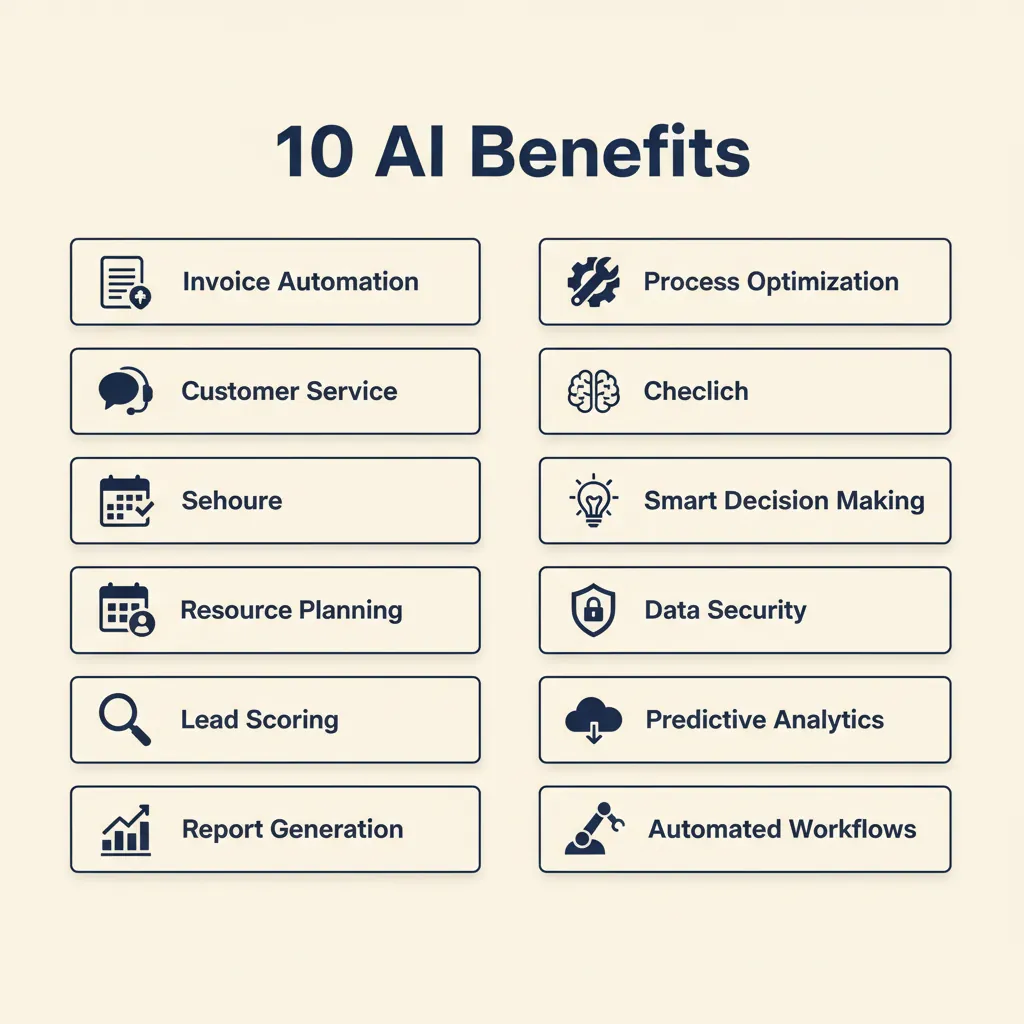
You've read that AI can make your business more efficient, but you don't know where to start or which benefits actually deliver for an SME with 10 to 200 employees. Below you'll find ten concrete advantages, each with a Dutch example and an estimate of what it yields. The term "voordelen van ai voor mkb bedrijven" (advantages of AI for SME companies) is frequently searched, and for good reason: process automation and machine learning tools are now accessible without an IT department or months of implementation. In this post we walk through how AI helps Dutch SMEs cut manual work, from quote generation to customer service, and what that looks like in practice.
Why AI for SMEs is realistic now (and what you can expect)
Five years ago, AI meant enterprise budgets and data-science teams. Today, tools like n8n, Make, ChatGPT, and Claude let you automate workflows and handle intelligent tasks without writing code or hiring developers. You connect the systems you already use (Exact Online, Moneybird, Pipedrive, your webshop) and let AI handle the repetitive steps: reading invoices, drafting replies, syncing inventory, filling timesheets.
The difference between enterprise AI and what SMEs actually deploy is scale and scope. Enterprise projects take months and touch every department. SME automation starts with one painful process, delivers ROI in weeks, then expands. A workflow that routes incoming invoices to your bookkeeper and a custom GPT that answers product questions are both examples of AI for business, just lightweight and focused.
Set realistic expectations: AI won't replace your team or make strategic decisions for you. It removes the boring, repetitive tasks that eat hours every week, so your people can focus on customers, sales, and growth. In our business automation work for Dutch SMEs, we see the biggest wins come from automating one high-volume process first, measuring the time saved, then moving to the next.
The ten benefits at a glance: from quotes to customer service
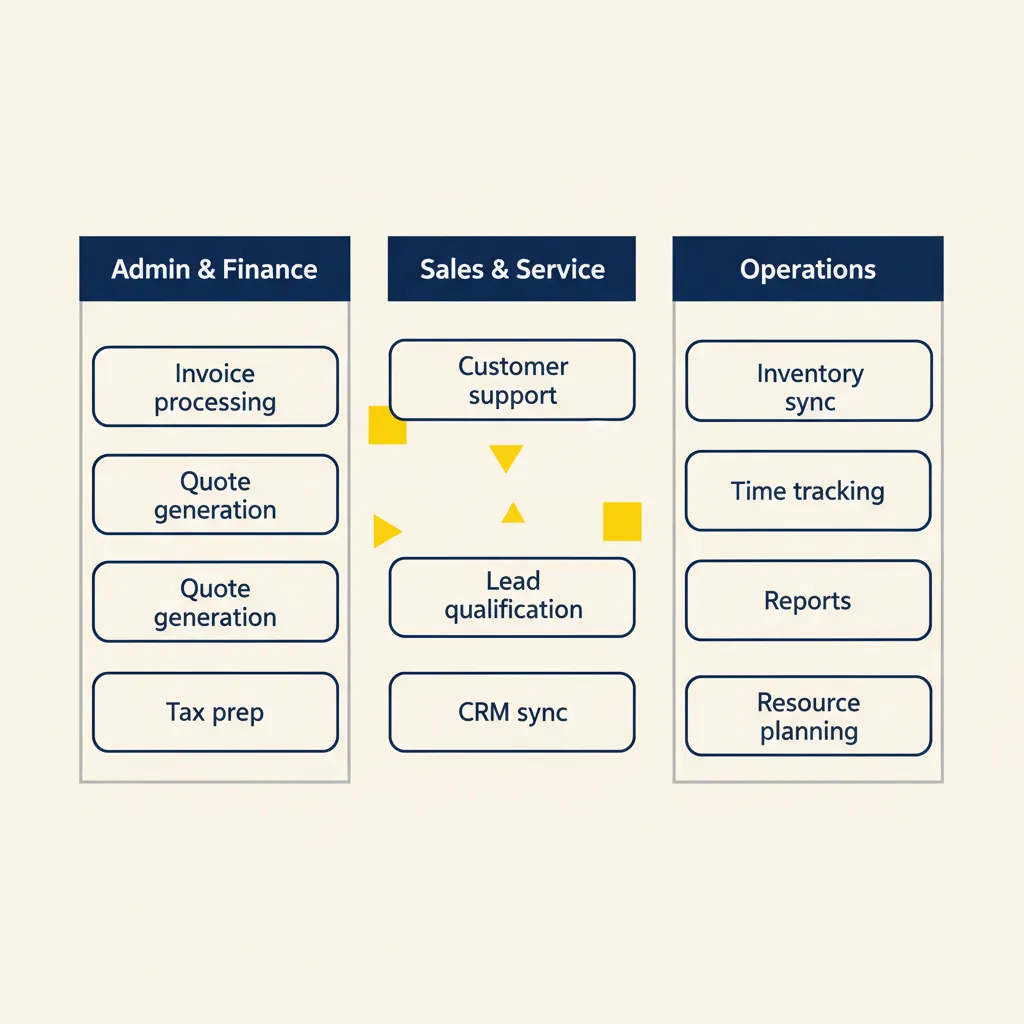
Below are ten concrete advantages, grouped by business function. Each includes a Dutch SME example, the tool stack, and the result in hours or response time.
Benefit 1–3: administration and finance (quotes, invoices, VAT)
1. Automatic quote generation from CRM data. A construction firm in Utrecht uses Make to pull project details from Pipedrive and generate a quote PDF, which goes straight to the client. Before: 30 minutes per quote, 12 quotes a week = 6 hours. After: 2 minutes of review time. The workflow runs on Make (€29/month) and connects Pipedrive to a Google Docs template.
2. Invoice processing and forwarding to your accounting system. A webshop in Groningen receives supplier invoices by email. An n8n workflow reads the PDF, extracts line items with an AI model, and posts them to Exact Online. The bookkeeper checks once a week instead of entering 40 invoices manually. Time saved: 4 hours per week. Stack: n8n (self-hosted, €0 or cloud at $20/month) plus an LLM API for OCR.
3. VAT return preparation. A consultancy in Amsterdam exports transactions from Moneybird, runs a custom GPT to categorize edge cases (mixed-use expenses, cross-border services), and generates a summary for the accountant. Cuts prep time from two days to two hours per quarter. The custom GPT lives in ChatGPT Team ($30/user/month) and reads the firm's VAT rules from a Notion knowledge base.
Benefit 4–6: customer contact and sales (service, lead qualification, CRM)
4. Customer-service chatbot that answers common questions. A SaaS company in Rotterdam built a custom GPT trained on their help documentation. Customers ask "Where is my invoice?" or "How do I reset my password?" and get an answer in 30 seconds instead of waiting for email. Support volume dropped 40%, freeing the team for complex cases. Response time: from 8 hours to 8 minutes. We build these end-to-end in our custom GPT projects, typically live in two to four weeks.
5. Lead qualification in your CRM. A marketing agency in Eindhoven uses Make to score inbound leads from their website form. The workflow checks company size on LinkedIn, tags the lead in Pipedrive, and assigns high-value prospects to the senior account manager. Conversion rate on qualified leads went up 25% because the right person follows up within an hour. Stack: Make + Pipedrive + Clearbit API.
6. Email sorting and tagging. A wholesale distributor in Zwolle receives 200 emails a day: orders, questions, complaints, supplier updates. An AI agent (built on n8n + an LLM) reads each email, tags it by type, and routes urgent orders to the order desk. The owner no longer spends 90 minutes a day sorting his inbox. Time saved: 7 hours per week.
Benefit 7–10: operations and planning (inventory, timesheets, reports, resource planning)
7. Inventory sync between webshop and back-office. A bike-parts retailer in Haarlem runs WooCommerce and AFAS. A Make workflow updates stock levels every 15 minutes, preventing overselling and manual reconciliation. Before: 3 hours a week fixing discrepancies. After: zero, and customers see accurate availability.
8. Automatic timesheet entry. A software consultancy in Nijmegen uses Clockify for time tracking. An n8n workflow reads calendar events (client meetings, project blocks) and pre-fills timesheets. Consultants review and submit instead of reconstructing their week from memory. Compliance went from 60% on time to 95%, and billing happens faster.
9. Management reports from scattered sources. A logistics SME in Tilburg pulls data from their TMS, accounting system, and Google Sheets. A custom GPT stitches it into a weekly dashboard: revenue, outstanding invoices, truck utilization. The owner gets the report every Monday morning without asking three people for spreadsheets. Stack: n8n to fetch data, custom GPT to format and summarize.
10. Resource and staff planning. A care organization in Arnhem schedules 40 care workers across 120 clients. An AI agent (built on n8n + an optimization model) suggests weekly rosters based on client preferences, travel time, and worker availability. Planners adjust and publish instead of starting from scratch. Planning time: from 6 hours to 90 minutes per week.
What these examples share: each automation targets one high-volume, repetitive process, uses tools the business already understands (or can learn in a day), and delivers measurable time savings within weeks.
Running into this at your own business? We'll spend 30 minutes with you for free, no sales pitch. Book a free intro call
What most AI vendors get wrong (and how to avoid it)
Three common mistakes kill AI projects in SMEs before they deliver value.
Starting too broad without a clear process. A vendor promises to "transform your business with AI" but never asks which task costs you the most hours. You end up with a dashboard nobody uses. Fix: pick one painful process (quotes, invoices, support emails), map the current steps on paper, then automate that. Expand only after the first workflow proves ROI.
A generic tool that doesn't fit your workflow. Off-the-shelf AI platforms assume you work like everyone else. Your quoting process has three approval steps and pulls data from two systems; the tool supports one. You spend more time working around it than you save. Fix: choose tools that connect to your existing stack (AFAS, Exact Online, Pipedrive, Moneybird). In the projects we deliver for Dutch SMEs, we see the best results when the automation layer (n8n, Make) talks to the systems you already trust, rather than replacing them.
No ownership over data or configuration (vendor lock-in). You pay monthly, the vendor owns the workflow logic and your data, and when you want to leave you start from zero. Fix: self-hosted or open-core tools (n8n, Baserow) let you export everything. Cloud tools are fine if they offer data export and API access. Ask upfront: can I take my workflows and data with me?
The role of an automation partner is to understand your process first, then choose the tool stack that fits. If a consultant leads with a specific platform before asking what you need, walk away.
How to start: step-by-step plan and budget indication
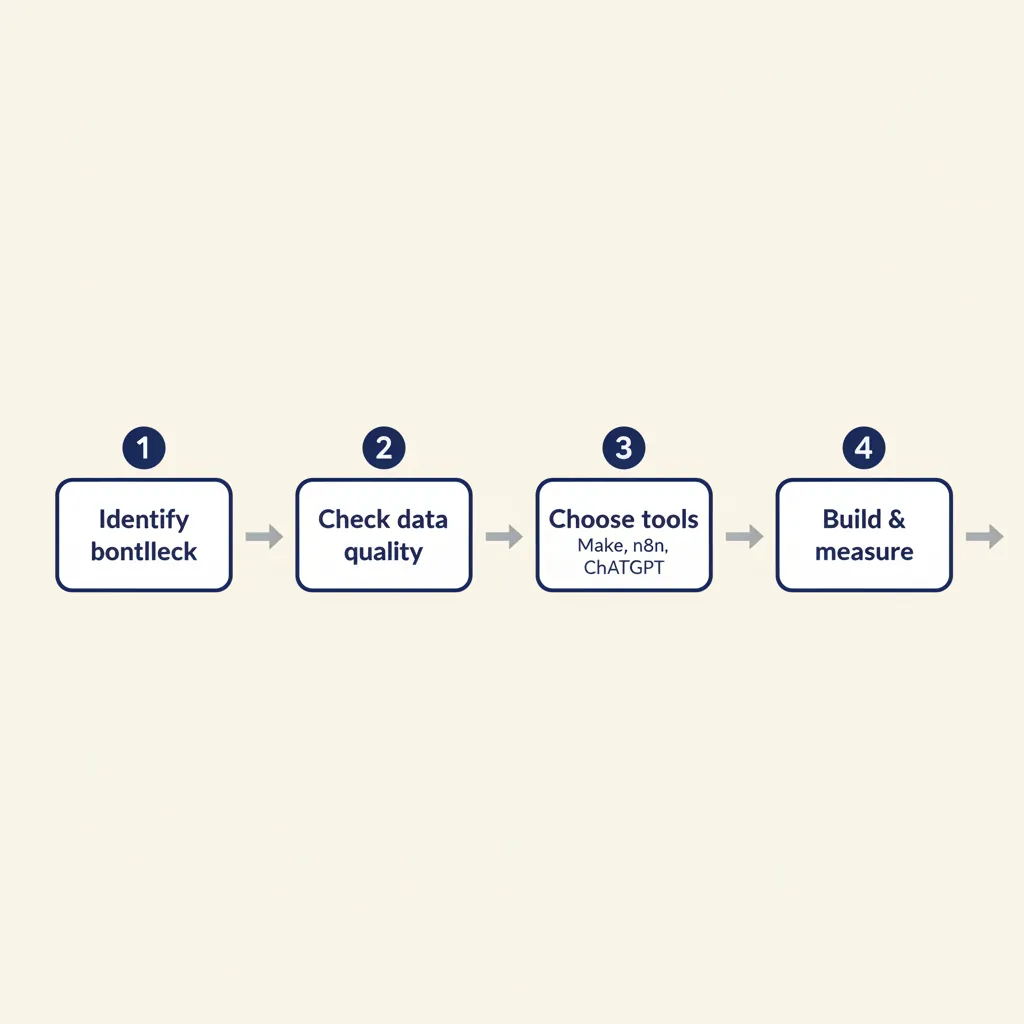
Four steps to your first AI automation, with realistic time and cost estimates.
Step 1: Identify the biggest time sink. Ask your team: which task do you do every week that feels like busywork? Common answers: entering invoices, chasing quote follow-ups, answering the same customer questions, reconciling inventory. Pick the one that costs the most hours or causes the most errors. Time: one hour of internal discussion.
Step 2: Check if your source data is available and clean. AI can't fix missing or messy data. If your CRM has incomplete records or your invoices arrive as scanned images with no structure, you'll spend time cleaning before you automate. Make a list of the systems involved (CRM, accounting, email, webshop) and confirm you can export or API-connect to each. Time: two hours of discovery, sometimes with help from your bookkeeper or IT contact.
Step 3: Choose the tool stack. For workflows (if-this-then-that logic, moving data between systems), use Make or n8n. For intelligent steps (reading text, answering questions, summarizing documents), add ChatGPT, Claude, or a custom GPT. For Dutch SMEs we typically recommend n8n (self-hosted or cloud) plus an LLM API, because you keep control and costs stay predictable. Budget: €20–50/month for cloud platforms, or €0 if you self-host on a VPS. LLM API costs are usage-based, often under €10/month for SME volumes.
Step 4: Build a pilot and measure the outcome. Automate the process for one week, track hours saved and error rate, then decide whether to expand. A simple workflow (invoice forwarding, quote generation) often takes one to two days to build and test. A custom GPT with a knowledge base takes two to four weeks if you include content prep. Payback period: 8 to 16 weeks for most SME cases, because the upfront cost is low (often less than one month's salary for a junior employee). In our AI consultancy engagements, we help clients pick the right first process and build the pilot, so you see ROI before committing to a bigger rollout.
Which process costs you the most hours per week right now? That's where you start.
| Benefit | Example use case | Typical time saved | Tool stack |
|---|---|---|---|
| Quote generation | Pull CRM data, create PDF, send to client | 5–6 hours/week | Make + Pipedrive + Docs |
| Invoice processing | Read PDF, extract lines, post to accounting | 4 hours/week | n8n + Exact Online + LLM |
| Customer-service chatbot | Answer FAQs, lookup order status | 40% ticket reduction | Custom GPT + help docs |
| Lead qualification | Score inbound leads, assign to sales | 25% higher conversion | Make + Pipedrive + Clearbit |
| Inventory sync | Sync webshop stock with back-office ERP | 3 hours/week | Make + WooCommerce + AFAS |
| Timesheet automation | Pre-fill timesheets from calendar | 2 hours/week per person | n8n + Clockify + Google Calendar |
AI for SMEs isn't science fiction. It's concrete hours you win back and errors you prevent. Choose one process where your team hits friction every week, and build an automation or agent for it. Measure the result, then expand. The businesses that move fastest are the ones that start small, prove value, and scale from there.
For a related angle, see our post on AI Agents for SMBs: Cost, ROI, and Practical Use Cases.
Frequently asked questions
What does AI implementation cost for an SME?
A simple workflow automation (invoice forwarding, quote generation) typically costs one to two days of build time, plus €20–50/month for cloud platforms or €0 if self-hosted. A custom GPT with a knowledge base runs two to four weeks of work and €30/user/month for ChatGPT Team. Total upfront cost is often less than one month's salary for a junior employee, with payback in 8–16 weeks from time saved.
Do I need an IT department to use AI?
No. Tools like n8n, Make, and custom GPTs are designed for non-technical users. You connect the systems you already use (Exact Online, Pipedrive, Moneybird) through visual workflows, no coding required. Most SME clients we work with have no in-house IT; we build the automation, train one or two people to maintain it, and they own it from there.
How long before I see results from AI automation?
For a single-process automation (invoices, quotes, email routing), you'll see time savings within the first week of go-live. Payback on the build investment typically happens in 8–16 weeks. A customer-service chatbot shows ticket-volume reduction within days once it's trained on your help docs.
Can AI integrate with my current accounting software (AFAS, Exact, Moneybird)?
Yes. n8n and Make both offer native integrations or API connectors for AFAS, Exact Online, Moneybird, Snelstart, and most Dutch accounting platforms. We map your workflow to pull or push data (invoices, transactions, customer records) in real time or on a schedule, so the AI layer sits between your tools without replacing them.
Is AI safe and GDPR-compliant for my customer data?
It depends on how you deploy it. Self-hosted tools (n8n on your own server) keep all data in the Netherlands or EU. Cloud platforms (Make, ChatGPT Team, Claude) process data on their infrastructure; check their data-processing agreements and make sure they're GDPR-compliant (most are). For sensitive customer data, we recommend self-hosted workflows or EU-region cloud instances, and we help clients draft the required processor agreements.
Which process should I automate first with AI?
Pick the one that costs your team the most hours per week and is highly repetitive. Common first targets: invoice entry (if you receive 20+ per week), quote generation (if you send 10+ per week), customer-support emails (if the same five questions come in daily), or inventory sync (if you reconcile stock manually). Measure current time spent, automate that process, measure again, then expand to the next pain point.
Curious what AI can do for your business?
We listen, think along, and quickly deliver something that works. No obligations, no pressure.