



Last updated: May 9, 2026
7 Common AI Mistakes in SMBs (and How to Avoid Them)
Eighteen percent of Dutch SMEs now use AI, but most projects don't fail because of bad technology. They fail because owners make the same seven mistakes: no clear plan, wrong tool, forgetting the team, and ignoring GDPR risks. This guide shows you which pitfalls to avoid before you invest, so you can skip the expensive lessons and get to results faster, building on our broader guide to AI for businesses. The pattern we see most often: AI adoption stalls because there is no strategy and no documented process to automate.
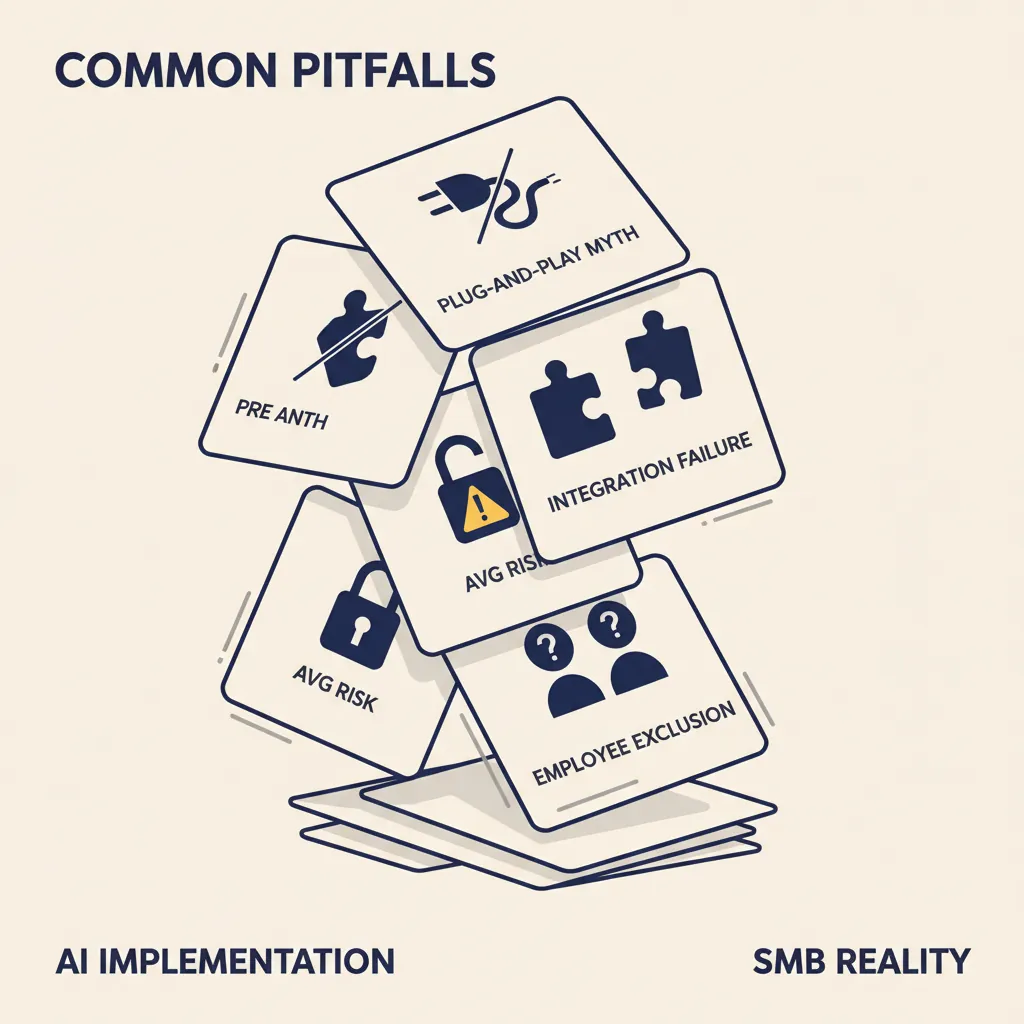
| Mistake | Symptom in your business | What to do instead |
|---|---|---|
| 1. Plug-and-play thinking | Tool bought, nobody knows what it does | Map the process on a single page first |
| 2. No Dutch-system integration | Double entry into AFAS / Exact / Moneybird | n8n / Make connectors via official APIs |
| 3. Ignoring GDPR risk | Customer data in free ChatGPT, no DPA | Paid API with DPA or EU tools (Mistral, Aleph Alpha) |
| 4. Leaving the team out | Shadow IT or quiet boycott | One AI coordinator + pilot in one team |
| 5. Tool before outcome | "Which AI should I buy?" | Start with the outcome, choose the tool that fits |
| 6. No ROI calculation | Paying for licenses, no idea if it works | Calculate up front: hours × hourly rate vs. license cost |
| 7. Vendor lock-in | Data and workflows trapped at one vendor | REST APIs, exportable data, code ownership |
Mistake 1: Treating AI as Plug-and-Play
Many SMB owners think you install ChatGPT or another AI tool and you're done. In practice, you need to document your process first, clean your data, and train your team. Starting without that prep leads to frustrated employees and unusable output.
Before you pick a tool, write down the current workflow step by step. Who does what? Where does data come from? What decisions need human judgment? If you can't answer those questions, the AI can't either. Tools like ChatGPT or Claude are powerful, but they need clean input and clear instructions. Garbage in, garbage out still applies.
We see this pattern in Dutch SMBs running AI consultancy projects: the bottleneck is rarely the model. It's that the source process was never written down, so nobody can agree on what 'done' looks like. Document first, automate second.
Mistake 2: No Integration with AFAS, Exact Online, or Other Dutch Systems
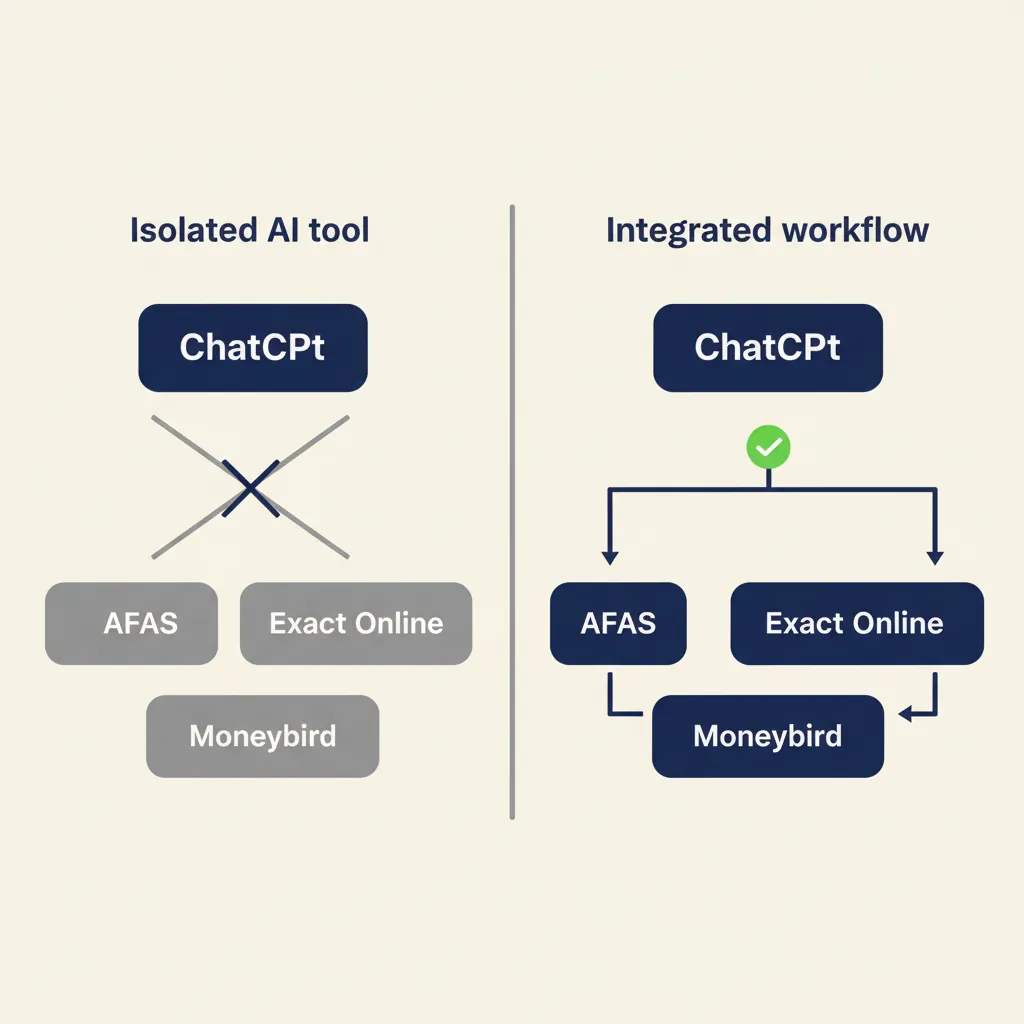
Standard AI tools don't work out-of-the-box with AFAS, Exact Online, Moneybird, or Snelstart. You end up with double data entry, disconnected silos, and manual CSV exports every week. Integration from day one is not optional if you want the AI to actually save time.
Why Standard AI Tools Don't Recognize Dutch Accounting Software
Most international AI platforms are built for Xero, QuickBooks, or Salesforce. They don't have native connectors for AFAS or Exact Online because those systems are mainly used in the Netherlands and Belgium. That means you either build a custom integration using APIs and webhooks, or you accept endless copy-paste work.
For example, if you want an AI agent to read incoming invoices and push them into Exact Online, you need a workflow tool like n8n or Make to bridge the gap. The AI does the extraction, the workflow handles the API call. Without that middle layer, you're stuck exporting and importing files manually.
Custom Connectors Versus Manual CSV Exports
Manual exports work for a one-time migration. They don't work for daily operations. Every export is a chance for human error, and your data is always out of sync. Custom connectors cost time upfront but pay back in weeks, not months, because your team stops doing the same data-entry twice.
When we build business automation workflows for Dutch SMEs, the first question is always: which systems need to talk to each other? If the answer includes AFAS or Exact, we design the integration before we touch the AI layer. Otherwise the project stalls the moment someone asks where the data lives.
Mistake 3: Ignoring GDPR Risks (Sending Personal Data to US Servers)
Many owners send customer data, quotes, or employee records to ChatGPT or Notion AI without a data processing agreement. That's a GDPR violation the Dutch Data Protection Authority can fine. You need to know when you need a processing agreement, which tools are GDPR-compliant, and how to set up a safe workflow.
Under GDPR (known in the Netherlands as AVG), any time you share personal data with a third party that processes it on your behalf, you need a signed processing agreement. That includes AI platforms. If you paste a customer email into ChatGPT's web interface, OpenAI becomes a processor, and you need a contract. OpenAI offers one for paid accounts, but the free version has no agreement and no GDPR guarantees.
The same applies to Notion AI, Google Bard, and most free AI tools. They store your input on US servers, and US privacy law is weaker than EU law. If you process data from EU citizens, you're responsible for ensuring every processor meets GDPR standards. That means checking where data is stored, whether the vendor has Standard Contractual Clauses, and whether you can delete data on request.
Practical checklist: Do you handle customer names, email addresses, phone numbers, or payment details? Then you need a processing agreement with every AI tool that touches that data. Use the paid version of ChatGPT (which includes a processing agreement), or choose European alternatives like Mistral or self-hosted models. Don't assume 'everyone uses it' means it's legal.
Mistake 4: Not Involving Employees (and Letting Shadow IT Grow)
If you don't train the team or involve them in the decision, they'll either use their own tools behind your back (shadow IT) or boycott the AI altogether. Both scenarios cost you money and security. Change management matters more than the tool itself.
Shadow IT happens when employees solve their own problems with tools you don't know about. Someone signs up for a free AI service, uploads company data, and suddenly you have a data leak you didn't authorize. The fix is not to ban tools, it's to give the team an approved option that actually works for their job.
Appoint one person as your AI coordinator. That person doesn't need to be technical, but they do need to understand the workflows and have the authority to say 'we use this tool, not that one'. They train the team, answer questions, and spot problems early. Without a coordinator, every department invents its own solution and you lose control.
We see this in Dutch SMBs that skip the change-management step: six months later, half the team still uses the old process, and the other half has adopted three different AI tools that don't talk to each other. The result is more chaos, not less. Involve your team from the start, explain what's in it for them (less boring work, not job cuts), and give them a voice in which tool you pick.
What We See in SMBs That Get AI Right
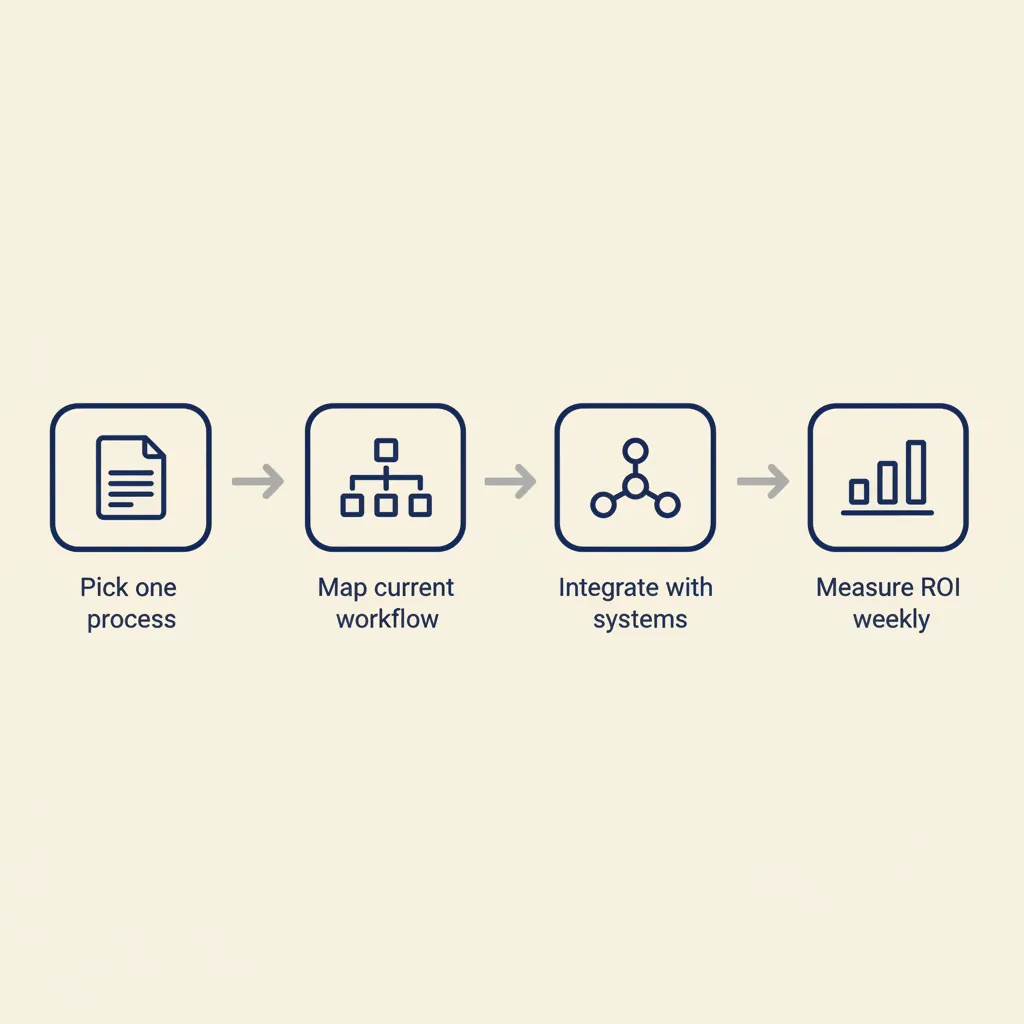
Companies that succeed with AI share three patterns: they start with one concrete process (quotes, invoice processing, customer service), they measure ROI in weeks (not months), and they choose tools that fit their existing workflow instead of forcing the workflow to fit the tool. Here are practical examples from construction, e-commerce, and professional services, plus a step-by-step plan to start small.
Start Small: One Process, Measurable ROI
Pick the process that takes the most manual hours and has the clearest rules. For a construction company, that might be turning site notes into quotes. For an e-commerce shop, it's processing returns and updating inventory. For a consultancy, it's timesheet reminders and invoice generation.
Build the automation for that one process, measure how many hours it saves per week, and calculate payback time. If it takes four weeks to build and saves your team six hours per week, you break even in a month. That's a win you can show the rest of the company, and it builds confidence for the next project.
Example: a Dutch e-commerce SMB we worked with automated order confirmation emails and shipment tracking updates using n8n, Mollie, and their webshop API. It saved the customer-service team eight hours per week, paid back in three weeks, and freed them to handle the complex support cases that actually need a human.
How to Know If Your Business Is Ready for AI
Ask yourself these questions. If you answer yes to at least three, you're ready:
- Do you have a process that happens at least five times per week and follows the same steps every time?
- Can you describe that process in writing, step by step, without ambiguity?
- Do you already use digital tools (email, CRM, accounting software) that store the data you need?
- Is your team open to trying new tools, or at least willing to test for a month?
- Can you measure success in hours saved, errors reduced, or faster turnaround time?
If you answered no to most of these, fix the underlying process first. AI accelerates what you already do. If the process is broken or undocumented, automation just makes the mess faster.
Start with one workflow, prove the ROI, and expand from there. That's how Dutch SMEs avoid the expensive mistakes and build automation that actually sticks.
Running into this at your own business? We'll spend 30 minutes with you for free, no sales pitch. Book a free intro call
Most AI projects in Dutch SMEs fail not because of technology, but because of missing preparation, integration, and team buy-in. Start with one process, make sure it integrates with your current systems like AFAS or Exact Online, and bring your team along. If you want to know which process in your business is best suited for automation, book a free intake call and we'll walk through it together.
Frequently asked questions
What does an AI project cost for a Dutch SMB on average?
A small automation (one process, basic integration) typically costs between €2,000 and €5,000 and pays back in four to eight weeks through saved hours. Larger projects with custom integrations into AFAS or Exact Online can run €8,000 to €15,000, but ROI is still measurable in months, not years.
Do I need an IT department to implement AI?
No. Most SMBs we work with have no in-house IT. You do need one person who understands your workflows and can coordinate with an external partner. That person doesn't need to be technical, they just need to know which processes take the most time and have the authority to make decisions.
Which AI tools are GDPR-compliant for Dutch businesses?
Paid ChatGPT (Team or Enterprise), Microsoft Azure OpenAI, and European providers like Mistral all offer data processing agreements. Self-hosted models on your own server give you full control. Free tools like ChatGPT's web interface and most consumer AI apps do not meet GDPR requirements for business use.
How long before I see ROI on AI automation?
For a well-scoped project (one process, clear rules), payback is typically four to twelve weeks. If it takes longer, the scope was probably too broad or the process wasn't documented well enough before you started building.
Can I integrate AI with AFAS or Exact Online?
Yes, but not out of the box. You need a custom connector built with APIs and a workflow tool like n8n or Make. Once the integration is live, the AI can read and write data directly, so your team stops doing double entry.
What is a data processing agreement and when do I need one?
A data processing agreement is a contract that defines how a third party (like an AI platform) handles personal data on your behalf. Under GDPR, you need one any time you share customer or employee data with a processor. That includes AI tools that store or analyze that data.
Sources
Curious what AI can do for your business?
We listen, think along, and quickly deliver something that works. No obligations, no pressure.