



Last updated: May 9, 2026
n8n vs Make for SMB: which platform fits your team?
You want to automate manual work, but you're stuck choosing between n8n and Make. Both platforms let you build workflows that connect your tools without hiring a developer, but they differ sharply in price, hosting, and how well they integrate with Dutch systems like AFAS and Exact Online. n8n is open-source and can run on your own server, Make always runs in the cloud. For MKB companies handling customer data or invoices, that choice affects cost, compliance, and how fast you can get a workflow live. This guide walks through the differences that matter for a 10 to 50-person team: what each platform costs in practice, which Dutch tools they connect to out of the box, and how they stack up on AVG and NIS2 requirements.
What n8n and Make do (and where they differ)
Both n8n and Make are no-code automation platforms. If you're also weighing a third option, read our n8n vs Zapier comparison. You drag boxes onto a canvas, connect them with lines, and tell the system what to do when a trigger fires. A new lead in your CRM can create a quote in your accounting software, send a Slack message, and log the details in a spreadsheet, all without writing code.
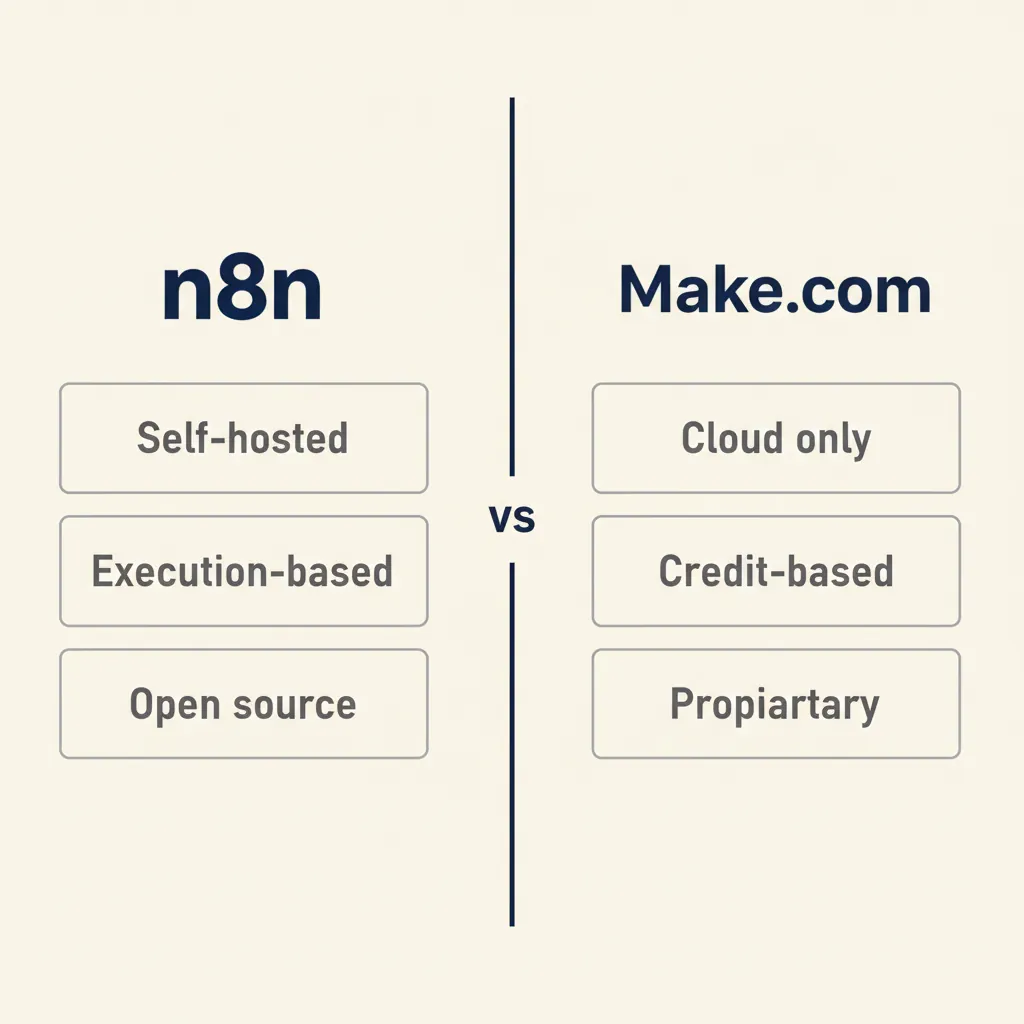
The core difference: n8n is open-source software you can install on your own server or run in n8n's cloud (if you're not yet clear on what n8n is, start with our primer). Make is a closed SaaS product that always runs on Make's infrastructure. That split shapes everything else: who controls your data, how you pay, and how much technical skill you need to keep it running.
- n8n cloud: n8n hosts the platform for you. You log in, build workflows, and pay per execution. No server management.
- n8n self-hosted: You rent a VPS or use your own hardware, install n8n, and manage updates yourself. You pay for the server, not per execution (though the business tier adds a license fee for features like SSO and advanced permissions).
- Make: Always cloud. You pay in credits that get consumed each time a workflow runs. AI steps and data-heavy operations burn credits faster than simple triggers.
For a Dutch SMB, self-hosting n8n means your customer data never leaves your network, which simplifies AVG compliance. The trade-off: you need someone who can spin up a Linux server, apply security patches, and restore backups when something breaks. Make removes that burden but puts your data on AWS servers in the EU, and you sign a data-processing agreement with Make instead of keeping everything in-house.
What this means for you: If you have an IT person or work with a technical partner, self-hosted n8n gives you full control and predictable costs. If you want to start today and skip server management, Make or n8n cloud are faster to deploy.
Cost comparison: executions vs credits and what it really costs for 10 to 50 employees
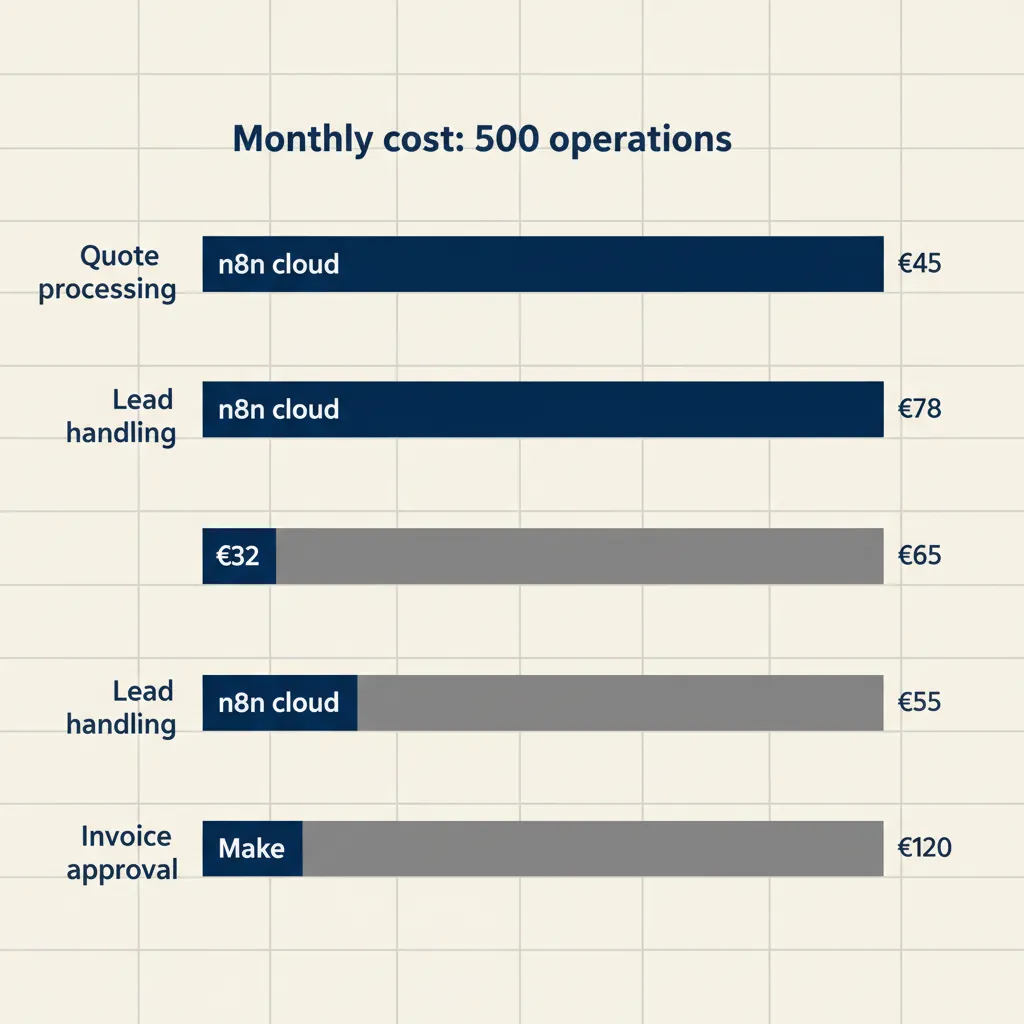
Pricing models look simple on paper but get messy in practice. n8n charges per execution (each time a workflow runs, regardless of how many steps it contains). Make charges in credits, and different actions consume different amounts: a webhook trigger costs 1 credit, an OpenAI API call can cost 5 or more, depending on the model and tokens.
| Criterion | n8n cloud | n8n self-hosted | Make |
|---|---|---|---|
| Starting price | €20/month (2.5K executions) | €0 (community) + server cost ~€10-€30/month | €9/month (10K credits, ~1K-2K operations) |
| Mid-tier price | €50/month (from 10K executions) | Server cost only | $16/month (10K credits + premium apps) |
| Business features | €667/month (40K executions, SSO, SAML — €333 with startup discount) | €500/month license + server | $29/month (10K credits + team features) |
| Overage cost | Pay-as-you-go per execution | None (unlimited executions) | €1 per 1K extra credits |
| AI step cost | 1 execution (same as any step) | 1 execution | Variable (5-20 credits per call) |
n8n cloud vs self-hosted: monthly costs and maintenance
n8n cloud starts at €20 per month for 2,500 executions. According to the n8n pricing update, all plans now include unlimited active workflows and users, so you pay only for how often your workflows run. If you process 500 quotes a month and each quote triggers 3 workflows (CRM update, email, accounting sync), that's 1,500 executions, well within the starter tier.
Self-hosted n8n costs whatever your server costs. A €15/month VPS from TransIP or a DigitalOcean droplet will run n8n for a small team. You get unlimited executions, but you're responsible for backups, SSL certificates, and keeping the software updated. The business tier adds a €500/month license if you need single sign-on or role-based permissions, but the community edition is free forever.
Make credits: how much do you really burn with AI integrations?
Make's €9 starter plan includes 10,000 credits. A simple trigger (new email, new form submission) costs 1 credit. Fetching a row from Airtable costs 1 credit. Sending a message via Slack costs 1 credit. But calling GPT through Make's OpenAI module can cost 5 to 20 credits per request, depending on token count. If your workflow generates a personalized email with GPT for every new lead, 10,000 credits might last 500 to 1,000 leads, not 10,000.
Make's official pricing page lists credit consumption per module, but the variability makes forecasting hard. You won't know your real monthly cost until you've run the workflow for a few weeks.
Total cost for a typical SMB scenario (example: 500 quotes per month)
Imagine you run a consultancy that sends 500 quotes a month. Each quote triggers a workflow: pull client data from your CRM, generate a PDF with a custom GPT, email it, and log the quote in Exact Online. That's 4 steps per quote, 2,000 operations total.
- n8n cloud: 2,000 executions per month fits the €20 starter plan (2.5K limit). Total: €20/month.
- n8n self-hosted: Unlimited executions. Server cost €15/month. Total: €15/month.
- Make: 2,000 operations, but the GPT step costs ~10 credits each, so 500 quotes × 10 = 5,000 credits just for AI, plus 1,500 credits for the other steps = 6,500 credits. The €9 plan covers 10K, so you're safe. Total: €9/month, until you scale past 1,500 quotes.
Make looks cheaper here, but if you add a second AI step (sentiment analysis on customer replies, for example), credit consumption doubles and you jump to the €29 tier. n8n's flat execution model makes scaling more predictable.
What this means for you: If your workflows are simple (CRM to email to spreadsheet), Make's entry price is lower. If you use AI heavily or plan to grow fast, n8n's execution-based pricing or self-hosted option saves money long-term.
Running into this at your own business? We'll spend 30 minutes with you for free, no sales pitch. Book a free intro call
Integration with Dutch tools: AFAS, Exact Online, Moneybird, Mollie
Most platform comparisons focus on Slack, Google Sheets, and HubSpot. For Dutch SMBs, the real question is: does it connect to your accounting software, your payment provider, and the KvK API without custom code?
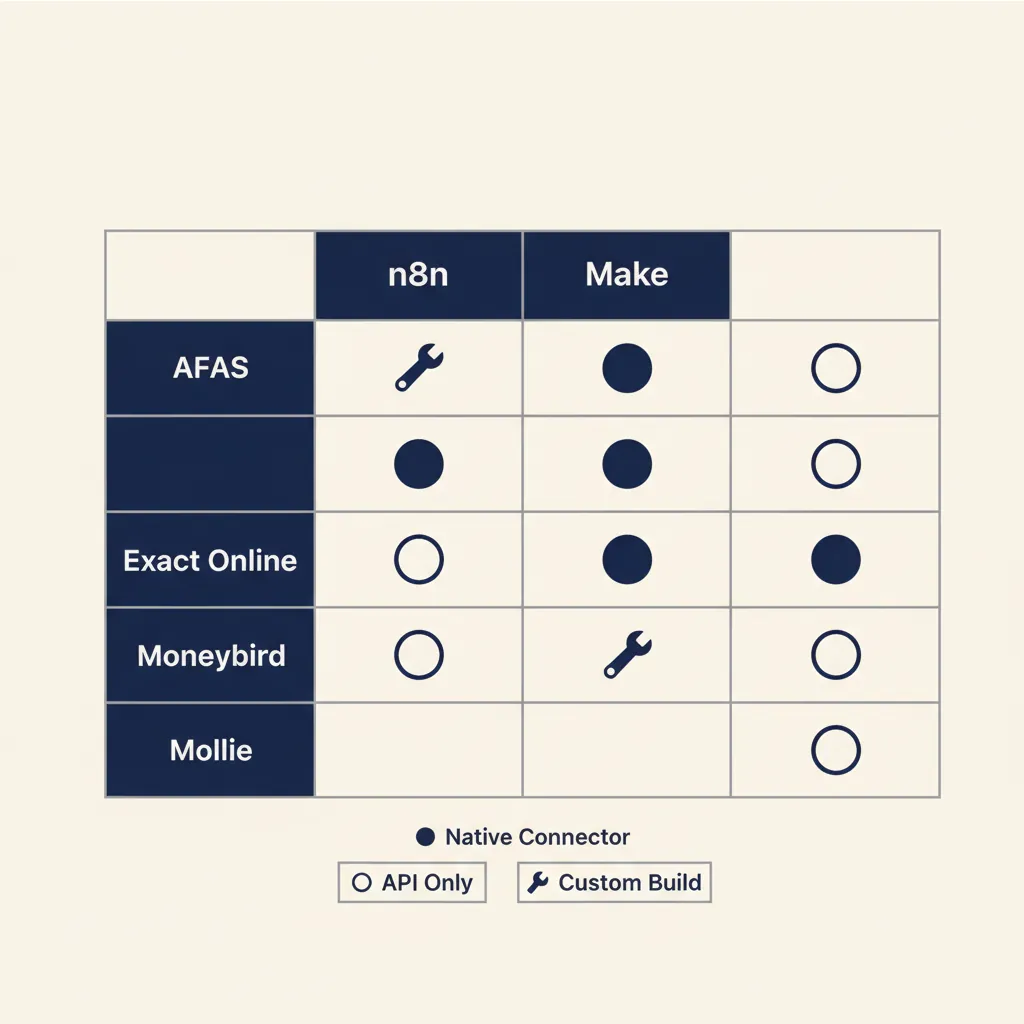
n8n has a larger library of community-contributed nodes because it's open-source. Exact Online, AFAS, and Moneybird all have unofficial n8n nodes built by the community or by agencies like ours. Mollie has an official REST API that works with n8n's HTTP Request node, so you can pull transaction data or trigger workflows on payment events. The KvK (Chamber of Commerce) API is accessible via HTTP Request in both platforms.
Make has fewer Dutch-specific pre-built modules. Exact Online appears in Make's app directory, but AFAS and Moneybird require you to use Make's HTTP module and write your own API calls. That's not impossible, but it adds setup time and requires someone who can read API documentation.
For Snelstart and Twinfield, both platforms rely on HTTP modules. Neither has a drag-and-drop connector, so you're writing JSON requests either way. The difference: n8n lets you package that custom logic into a reusable node and share it across workflows. Make requires you to rebuild the HTTP call in every scenario.
Our business automation work with Dutch SMBs often starts with connecting their accounting system to their CRM or webshop. When the tool already has a connector, setup takes an afternoon. When it doesn't, expect a day or two to map the API, handle authentication, and test edge cases.
What this means for you: If you run Exact Online or AFAS and want to move fast, check whether a ready-made connector exists for your platform of choice. If not, budget time for custom API work or hire someone who's done it before.
AVG, NIS2, and data residency: which platform meets Dutch compliance requirements?
When you send customer data or financial records through an automation, you need to know where that data lives and whether you have a processor agreement in place. Under the AVG (the Dutch implementation of GDPR), you're the controller and the automation platform is your processor. You're liable if they mishandle the data.
n8n self-hosted keeps all data on your own server. No data leaves your network unless you explicitly send it to a third-party API. That makes AVG audits straightforward: you control access, encryption, and retention. The Autoriteit Persoonsgegevens (Dutch DPA) can't fault you for a vendor's data breach because there's no vendor holding your data.
n8n cloud and Make both run on AWS servers in the EU (Frankfurt region for most European customers). Both offer data-processing agreements that meet AVG requirements. The difference: n8n cloud is a smaller company, and their DPA is a standard template you sign during onboarding. Make is owned by Celonis, a larger enterprise software firm, and their DPA includes more detailed sub-processor lists and audit rights.
NIS2, the EU cybersecurity directive that came into force in October 2024, affects more Dutch SMBs than most realize. If you operate in a critical sector (healthcare, logistics, food supply, digital infrastructure), you must document your security controls, including how third-party processors handle your data. Self-hosted n8n gives you full control over access logs, encryption, and incident response. Cloud platforms require you to trust their security posture and hope their SOC 2 or ISO 27001 certificates satisfy your auditor.
For payment data, both platforms can handle Mollie webhooks and transaction logs, but if you're processing card details directly (rare for SMBs), you need PCI-DSS compliance. Neither platform is PCI-certified out of the box, so you'd route sensitive card data through Mollie's API without storing it in your workflow.
What this means for you: If you handle health records, financial data, or operate in a NIS2-critical sector, self-hosted n8n or a private cloud instance gives you the cleanest compliance story. If your data is lower-risk (marketing leads, support tickets), cloud platforms with a signed DPA are usually sufficient.
What most automation agencies get wrong about platform choice
Many agencies pick a platform because they know it, not because it fits your business. We see three mistakes over and over.
First: choosing cloud when your data must stay local. A healthcare provider or a financial advisor often has contractual or regulatory obligations to keep client data on Dutch soil. An agency that defaults to Make because it's faster to set up can put you in breach of your own customer agreements. Always ask where your data will be processed before you sign.
Second: choosing self-hosted without IT capacity. n8n self-hosted is powerful, but it's not fire-and-forget. You need someone who can handle server updates, monitor uptime, and restore from backup when a disk fails. If you don't have that person, you'll end up paying an agency €100/hour every time something breaks. For a 10-person team with no IT staff, n8n cloud or Make is almost always the better call.
Third: discovering too late that your Dutch tool has no ready-made connector. An agency builds you a beautiful workflow in Make, then realizes halfway through that Snelstart requires custom API calls and OAuth setup that wasn't in the original quote. Suddenly a two-week project becomes a two-month project. Before you commit, make a list of every tool you need to connect and verify that connectors exist or that you've budgeted time for custom work.
In the projects we deliver for Dutch SMBs on AFAS or Exact Online, we map out every integration point before choosing a platform. If 80 percent of your workflows touch your accounting system and that system has a solid n8n node but only a Make HTTP workaround, n8n is the pragmatic choice even if Make's UI looks friendlier.
What this means for you: Pick the platform that fits your tools and your team's technical capacity, not the one your agency already knows. If you're not sure, our AI consultancy service includes a half-day session where we map your workflows and recommend the best platform for your situation.
Which platform should you choose?
Choose n8n if you want control over where your data lives, you have someone technical on staff or on retainer, and you plan to build complex workflows that would burn through Make's credit limits. Self-hosted n8n makes sense for healthcare, finance, or any business under NIS2 obligations. n8n cloud works when you want the flexibility of n8n's workflow engine without managing a server yourself.
Choose Make if you want to start fast, you don't want to manage infrastructure, and your workflows mostly connect standard SaaS tools like Google Workspace, Slack, and Shopify. Make's credit model is simple for low-volume workflows, and the built-in error handling and scenario history make debugging easier for non-technical users.
Both platforms can handle the same automation tasks. The right choice depends on your compliance requirements, your team's technical skill, and which Dutch tools you rely on every day. If you're still not sure, our guide to automation for SMBs covers the wider picture, and we help SMBs map their processes, pick the right platform, and get the first workflow live in a matter of weeks, not months.
Frequently asked questions
Can I use both n8n and Make in the same company?
Yes. Some SMBs run Make for customer-facing workflows (fast to set up, easy to hand off to non-technical staff) and n8n self-hosted for internal processes that touch sensitive financial or health data. The platforms don't talk to each other directly, but you can trigger one from the other via webhook if needed.
Do I need a developer to run n8n self-hosted?
You need someone comfortable with Linux server basics: SSH access, installing Docker or Node.js, setting up a reverse proxy, and applying security updates. If you don't have that person in-house, n8n cloud or Make removes the server management burden.
Which platform works better with AI models like GPT and Claude?
Both platforms connect to OpenAI, Anthropic, and Google AI APIs. n8n charges 1 execution per API call regardless of token count. Make charges 5 to 20 credits per call depending on the model and prompt length, so heavy AI use gets expensive faster on Make.
What happens if I exceed my execution or credit limit?
n8n cloud switches to pay-as-you-go billing for extra executions. Make charges €1 per 1,000 extra credits. Both platforms let you set spending caps to avoid surprise bills. Self-hosted n8n has no execution limit, so overages aren't a concern.
Can I switch from Make to n8n (or the other way) without rebuilding everything?
No direct migration tool exists. You'll need to rebuild workflows from scratch because the two platforms structure logic differently. Plan for a few days to a few weeks depending on how many workflows you have. Start by migrating one workflow at a time to minimize disruption.
Which Dutch hosting providers support n8n self-hosted?
TransIP, Byte, and Hostnet all offer VPS or cloud servers that can run n8n. You can also use international providers like DigitalOcean, Hetzner, or AWS if you configure the Frankfurt region for EU data residency. Any Linux server with Docker or Node.js will work.
Sources
Curious what AI can do for your business?
We listen, think along, and quickly deliver something that works. No obligations, no pressure.