



Last updated: June 29, 2026
Top 10 Workflow Automation Examples for Dutch SMEs
Your team is drowning in quotes, invoices, and customer emails that all need manual handling. Below you'll find 10 concrete workflow automation examples that Dutch SMEs use every week to save hours, with tools like Exact Online, Moneybird, Make, and Zapier that you can deploy today. These workflow automatisering voorbeelden for MKB (Dutch SMEs) show how bedrijfsprocessen automatiseren cuts admin time, reduces errors, and lets your team focus on work that actually grows the business. Each automation example below names the tools, the before-and-after workflow, and typical hours saved per week.
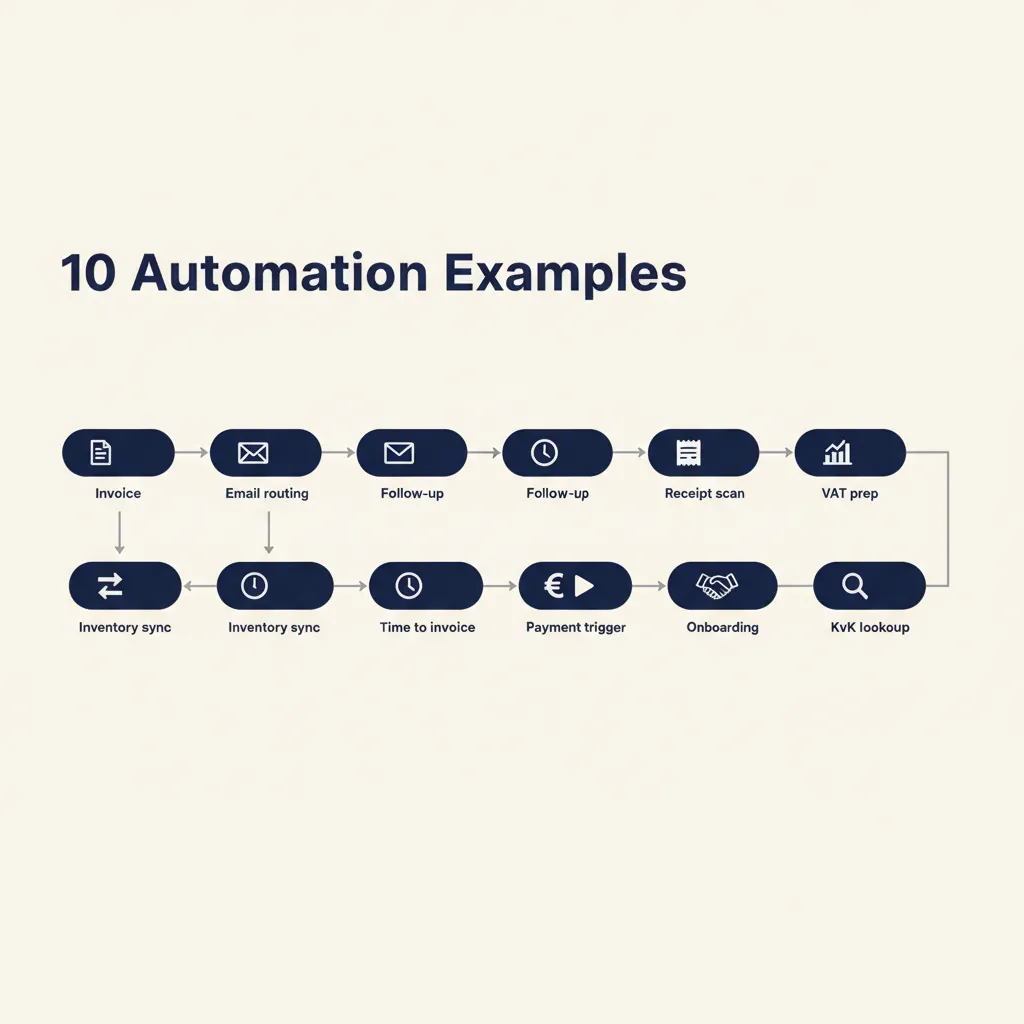
What workflow automation is and why it saves SMEs hours every week
Workflow automation connects the tools you already use so repetitive tasks run without manual work. When a customer pays via Mollie, the workflow updates your accounting software, sends a confirmation email, and triggers fulfillment, all in seconds. No one copies data between systems, no one forgets a step, no one stays late to catch up on invoicing.
Dutch SMEs benefit most because teams are small (10-50 people), admin load is high (quotes, invoices, compliance), and there's no in-house IT department. A single workflow that automates quote follow-ups can save 3-5 hours per week. A workflow that routes customer emails to the right person cuts response time from 8 hours to 8 minutes.
The pattern we see: manual work hides in small daily tasks (forwarding an email, copying a number, checking if a payment arrived). Each task takes 2 minutes, but 30 of them per day add up to an hour. Automation handles the 2-minute tasks so your team can focus on the work that requires judgment.
Start by logging one week of repetitive tasks. You'll quickly spot the 4-5 workflows that cost the most time. Those are the ones to automate first.
10 workflow automation examples Dutch SMEs use right now
1. Automatic invoice processing: from quote to Exact Online or Moneybird
When a customer accepts a quote in your CRM (HubSpot, Pipedrive, Teamleader), a workflow creates the invoice in Exact Online or Moneybird, sends it to the customer, and logs the transaction. No one manually re-types line items or chases the bookkeeper.
Before: Sales rep exports quote as PDF, emails it to admin, admin re-enters data into Exact, sends invoice, updates CRM status. 15 minutes per invoice, 20 invoices per week = 5 hours.
After: CRM triggers Make or Zapier, which calls the Exact API. Invoice sent in 30 seconds. Admin reviews exceptions only. Time saved: 4.5 hours per week.
2. Customer email sorting and routing with Make or Zapier
Incoming support emails land in a shared inbox. A workflow reads the subject and body, classifies the request (order question, complaint, technical issue), and forwards it to the right team member or department. Urgent keywords (refund, broken, not received) trigger a Slack notification.
Tools: Gmail or Outlook + Make or Zapier + Slack. Time saved: 2-3 hours per week on manual triage.
3. Automatic quote follow-up after 3 and 7 days
When you send a quote, a workflow schedules two follow-up emails: one after 3 days ("Any questions?"), one after 7 days ("Offer expires soon"). If the customer replies or accepts, the workflow stops. If they don't, your sales rep gets a reminder to call.
Before: Sales reps manually track quote dates in a spreadsheet, set calendar reminders, forget half of them. Follow-up rate: 40%.
After: Workflow handles all follow-ups. Follow-up rate: 95%. Conversion lifts by 15-20% because no quote falls through the cracks.
4. Receipt scanning and booking into your accounting package
Employees photograph receipts (fuel, parking, meals) with their phone. The image goes to a workflow that uses OCR (optical character recognition) to extract the amount, date, and category, then creates an expense entry in Exact Online or Moneybird. The bookkeeper reviews and approves in one batch.
Tools: Receipt Bank or Klippa (Dutch OCR service) + Make + Exact Online. Time saved: 3-4 hours per month on manual data entry.
5. VAT return prep: transactions from Exact to Belastingdienst format
Every quarter, your bookkeeper exports transactions from Exact Online, reformats them for the Belastingdienst (Dutch tax authority) VAT return, and uploads the file. A workflow automates the export, groups transactions by VAT code, and generates the XML file the Belastingdienst accepts.
Before: 2 hours of manual Excel work per quarter, high risk of copy-paste errors.
After: Workflow runs on a schedule, bookkeeper reviews the output in 15 minutes. Time saved: 1.5 hours per quarter, 6 hours per year.
6. Inventory sync between webshop and back-office
When a customer orders a product on your webshop (Shopify, WooCommerce), the workflow updates stock levels in your ERP or accounting system (AFAS, Exact) and triggers a reorder if stock falls below a threshold. No one manually checks inventory or discovers stockouts after the customer already paid.
Tools: Shopify + Make + Exact Online API. Time saved: 5-8 hours per week for a webshop processing 50+ orders daily.
7. Time tracking to invoice in Teamleader or Simplicate
Consultants and agencies log hours in Teamleader or Simplicate. At month-end, a workflow groups hours by project, calculates the total, and generates an invoice draft. The project manager reviews and sends it. No one manually sums hours or copies rates into an invoice template.
Before: 1 hour per project to prepare invoices, 10 projects per month = 10 hours.
After: Workflow handles the math, project manager spends 10 minutes per invoice on review. Time saved: 8 hours per month.
8. Mollie payment confirmation triggers shipping and accounting
When a customer pays via Mollie (the Dutch payment gateway), the workflow updates order status to "paid" in your webshop, sends the order to your warehouse or fulfillment partner, and creates a journal entry in Moneybird or Exact. The customer gets a shipping notification 5 minutes later.
Tools: Mollie webhook + Make + Shopify + Exact Online. Time saved: 3-4 hours per week on manual order processing for a shop with 100+ orders per week.
9. New employee onboarding: document collection with GDPR logging
When HR adds a new employee to your system, a workflow sends them a checklist of documents to upload (ID copy, bank details, signed contract). Each upload is logged with a timestamp and stored in a secure folder. The workflow notifies HR when all documents are in, and logs consent for GDPR (known as AVG in the Netherlands) compliance.
Tools: Google Forms or Typeform + Make + Google Drive + Notion or Airtable for the log. Time saved: 2 hours per new hire on follow-up and filing.
10. KvK company data lookup and validation for new customers
When a new B2B customer signs up, the workflow queries the KvK (Kamer van Koophandel, the Dutch business register) API to fetch company name, address, and VAT number. It auto-fills your CRM and flags any mismatch (customer entered a different name than the official registration). This prevents invoicing errors and reduces fraud risk.
Tools: KvK API + Make or Zapier + HubSpot or Pipedrive. Time saved: 1 hour per week on manual lookups and corrections, plus fewer invoicing disputes.
These 10 examples show the pattern: pick a task your team does 10+ times per week, connect the tools that already hold the data, and let the workflow handle the repetitive steps. The ROI is immediate because you're not buying new software, just connecting what you have.
Running into this at your own business? We'll spend 30 minutes with you for free, no sales pitch. Book a free intro call
Which tools you need: no-code platforms and Dutch SaaS
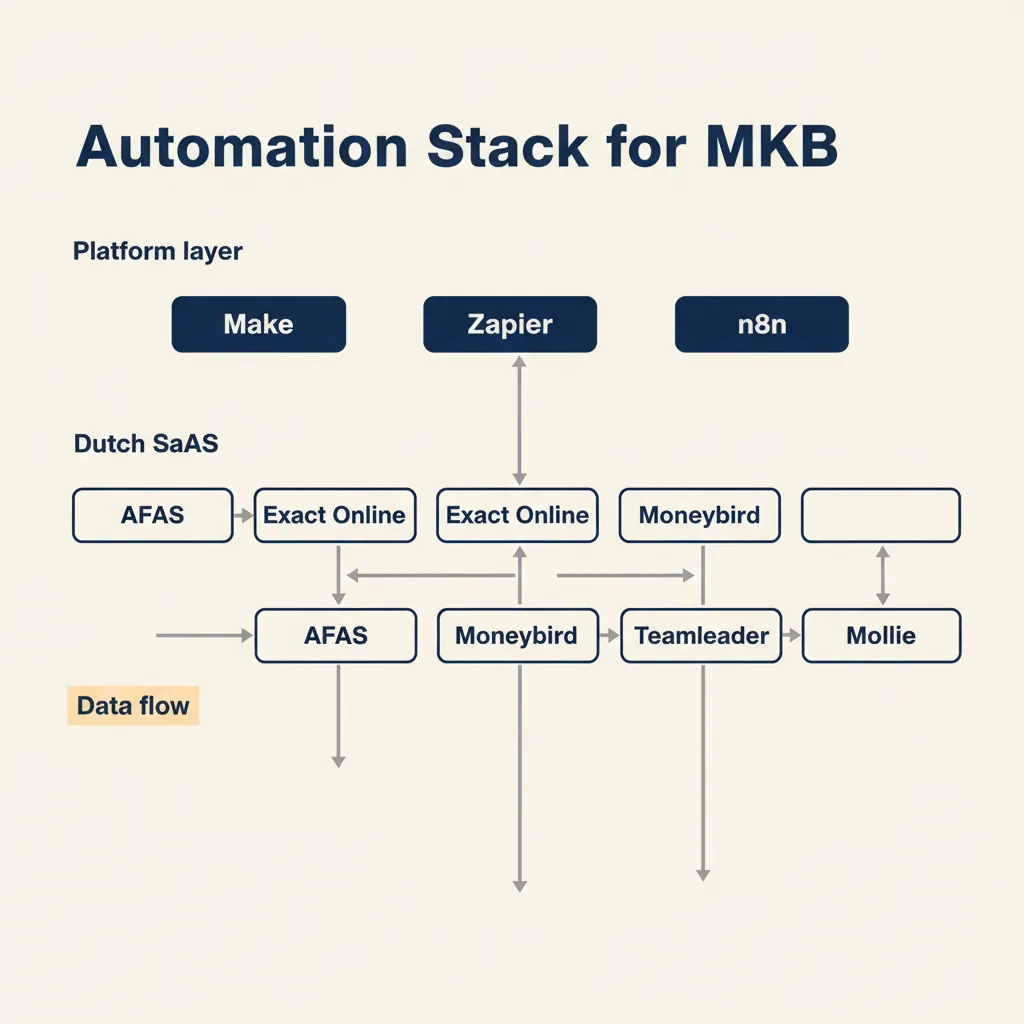
To build the workflows above, you need two layers: a no-code automation platform (Make, Zapier, n8n) and the Dutch SaaS tools your business already uses (Exact Online, Moneybird, Teamleader, Mollie).
No-code platforms: Make and Zapier let non-technical users connect apps with a visual interface. You pick a trigger (new invoice in CRM), add actions (create invoice in Exact, send email), and the platform handles the API calls. n8n is an open-source alternative that you can self-host for full data control, but requires a bit more technical setup.
When to use Make vs Zapier: Make (formerly Integrator.ly) offers more complex logic (branches, filters, loops) and is popular with Dutch SMEs because pricing scales better for high-volume workflows. Zapier has a larger app library and is easier for beginners. Both integrate with Exact Online, Moneybird, Mollie, and most Dutch SaaS tools.
Dutch SaaS ecosystem: AFAS, Exact Online, Moneybird, and Snelstart dominate SME accounting. Teamleader and Simplicate lead in project management and CRM for service businesses. Mollie handles payments. All of these expose APIs that automation platforms can call.
When a custom integration makes sense: If your workflow needs real-time data sync (inventory updates every 5 seconds) or complex business logic (pricing rules, approval chains), a custom-built integration or web app often performs better than chaining no-code steps. In our business automation work, we build these end-to-end when the ROI justifies it.
Rule of thumb: Start with Make or Zapier for workflows under 1,000 runs per month. Move to n8n or a custom build when you hit volume limits or need logic the no-code platform can't express cleanly.
Why most SME automation projects fail (and how to avoid it)
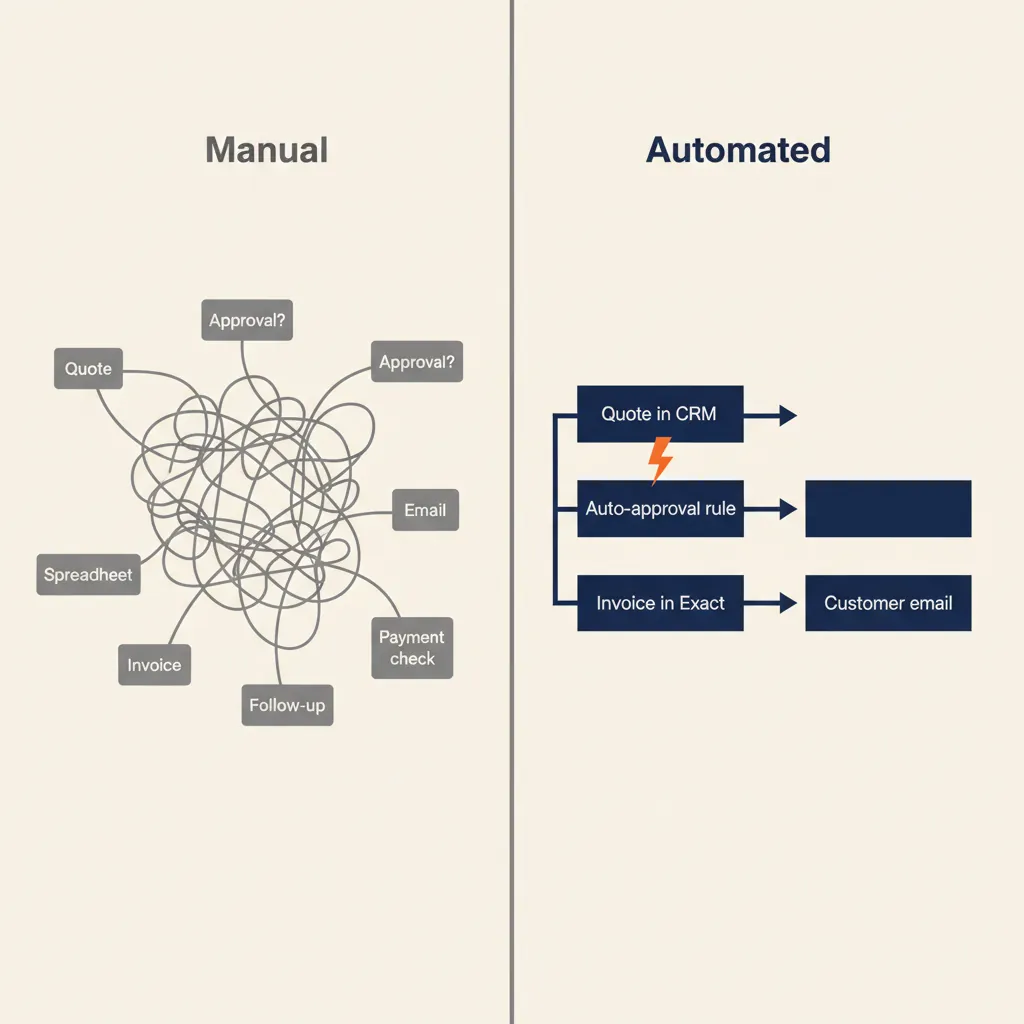
The most common mistake we see with Dutch SME clients: teams automate a messy process without documenting who approves what, leading to workflows that break or get ignored within two weeks.
Example: A client wanted to automate quote approvals. Sales reps entered quotes in the CRM, and the workflow was supposed to send them to the director for sign-off. But no one had written down the rule: quotes under €5,000 don't need approval, quotes over €20,000 need two approvals, and quotes with custom terms need legal review. The workflow sent every quote to the director, who got 40 emails per day and started ignoring them. The automation failed because the underlying process was never clear.
The fix in three steps:
- Map the current process on paper first. Write down every step, every decision point, every person involved. Use a whiteboard or a flowchart tool (Miro, Lucidchart). Don't automate until everyone agrees this is how it should work.
- Identify decision points and approvers. Where does the process branch? Who has authority to approve, reject, or escalate? What happens if someone is on holiday? Write the rules explicitly.
- Automate the clean version. Build the workflow to match the documented process. Test it with 5-10 real cases before rolling it out to the whole team.
In our AI consultancy and automation projects, we spend the first session mapping the process with the client. That one-hour conversation prevents two weeks of rework later. If you skip this step, the automation will reflect the chaos of the current process, and your team will work around it instead of using it.
How to start: pick one bottleneck, measure the time saved, then scale
Don't try to automate everything at once. Start with the one manual task that costs the most hours per week.
Step 1: Time log. For two weeks, ask your team to note every repetitive task (forwarding emails, copying data, chasing approvals) and how long it takes. You'll quickly see the top 3-5 bottlenecks.
Step 2: Tool audit. List the tools your business already uses (CRM, accounting, email, payment gateway). Check if they have APIs or integrations. Most Dutch SaaS tools (Exact, Moneybird, Mollie, Teamleader) do.
Step 3: One pilot workflow. Pick the highest-impact task from your time log. Build the automation with Make, Zapier, or get help from a partner who knows Dutch SME workflows. Run it in parallel with the manual process for one week to catch edge cases.
Step 4: Measure. After two weeks, compare the time log. If the workflow saves 3+ hours per week, roll it out fully. If it doesn't, adjust or pick a different task.
Step 5: Iterate. Once the first workflow is stable, move to the next bottleneck. Most Dutch SMEs we work with automate 3-5 workflows in the first six months, saving 10-15 hours per week total.
Checklist:
- Two-week time log of repetitive tasks
- Tool audit: which systems have APIs?
- One pilot workflow (highest impact, lowest complexity)
- Measure hours saved after two weeks
- Document the workflow so your team knows how it works
- Move to the next bottleneck
Workflow automation for SMEs isn't about the latest AI hype. It's about the 4 hours per week your team spends on invoices, quotes, and customer emails. Pick one example from the list above, log how much time it costs now, and build the automation with Make, Zapier, or a tool you already have. The ROI shows up in the first month, not the first year.
For a related angle, see our post on SME Automation: Practical Guide for Dutch Business 2026.
Frequently asked questions
What is the difference between workflow automation and process automation?
Workflow automation focuses on connecting specific tools to handle a repeating task (e.g. new invoice in CRM triggers invoice creation in Exact Online). Process automation is broader and can include redesigning how work flows through your business, not just the tool connections. For most Dutch SMEs, workflow automation delivers faster ROI because you're connecting tools you already use.
Which workflow should I automate first in my SME?
Log two weeks of repetitive tasks and pick the one that costs the most hours per week and involves the fewest decision points. Invoice generation, email routing, and quote follow-ups are common first wins because they're high-volume, low-complexity, and the tools (CRM, accounting software, email) already have APIs.
Can I set up workflow automation myself without a developer?
Yes, if the workflow is simple (one trigger, 2-3 actions, no complex branching). Make and Zapier let non-technical users build automations with a visual interface. For workflows with approval chains, custom logic, or high-volume API calls, a developer or automation partner saves time and prevents broken workflows.
How much does it cost to automate a workflow for an SME?
No-code platforms like Make and Zapier start free for low-volume workflows (under 100 runs per month) and scale to €20-€100 per month for typical SME usage. Custom-built integrations cost €2,000-€8,000 depending on complexity, but pay back in 3-6 months if the workflow saves 5+ hours per week.
How long before an automated workflow pays for itself?
Most Dutch SME workflows we build save 3-10 hours per week. At an average internal cost of €40-€60 per hour, that's €480-€2,400 saved per month. A workflow that costs €3,000 to build pays back in 1-2 months. No-code workflows built in-house with Make or Zapier often pay back in the first week because the only cost is the platform subscription.
Are Make and Zapier GDPR-compliant for Dutch businesses?
Both Make and Zapier are GDPR-compliant (they have data processing agreements and EU data centers available), but you remain the data controller. When you connect tools that process customer data (CRM, email, accounting), ensure each tool in the chain has a valid processing agreement with you and that data flows stay within the EU if your customers are EU residents. For sensitive workflows (HR, health data), consider self-hosting n8n or building a custom integration so data never leaves your infrastructure.
Sources
Curious what AI can do for your business?
We listen, think along, and quickly deliver something that works. No obligations, no pressure.