



Last updated: May 9, 2026
Office automation for SMBs: IT to process automation
Most Dutch SMBs think office automation means servers, helpdesks, and Microsoft 365 licenses. But the biggest time savings don't come from IT infrastructure. They come from automating the repetitive business processes your team runs every week: generating quotes, processing invoices, handling customer emails. Traditional office setups give you a stable digital workplace, but they don't cut the hours spent on manual data entry and follow-ups. This guide shows you how to move beyond infrastructure and start automating the workflows that actually cost you time.
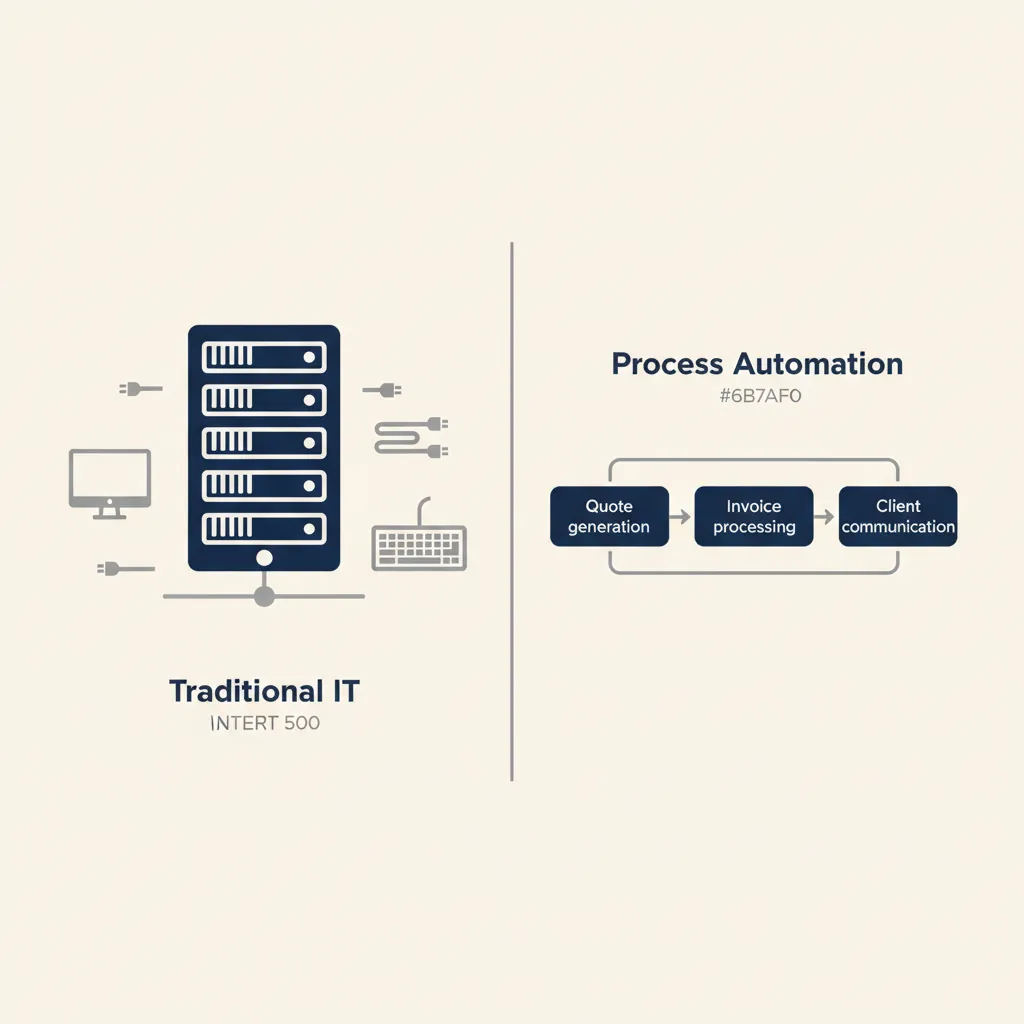
What traditional office automation covers (and where it stops)
Traditional kantoorautomatisering focuses on hardware, networks, and software installations. Think Windows Server, Microsoft 365, backup systems, and helpdesk support. Dutch ICT providers in Eindhoven, Amsterdam, and Tilburg offer fixed-price packages for workplace management, system administration, and network monitoring. That keeps your systems running, but it doesn't touch the manual workflows your team performs every day.
Workplace management, system management, and network management
Most ICT providers deliver three core services:
- Workplace management: setting up laptops, installing software, managing user accounts.
- System management: server maintenance, patch management, security updates.
- Network management: router configuration, VPN access, firewall rules.
These services keep your infrastructure stable. You get a fixed contact person, predictable monthly costs, and fewer IT emergencies. But they don't reduce the time your team spends copying data from emails into AFAS, chasing unpaid invoices, or drafting the same proposal text for the tenth time this month.
Why infrastructure alone doesn't make your team faster
A stable server and fast network are table stakes. They prevent downtime, but they don't eliminate repetitive tasks. If your sales team still copies customer details from email into your CRM by hand, or your bookkeeper manually matches bank transactions to invoices in Exact Online, your infrastructure isn't the bottleneck. The process is. Infrastructure automation gives you reliability; process automation for SMEs gives you hours back every week.
If you want to cut manual work, you need to look one layer up: at the workflows that move data between your tools.
The process automation layer: where Dutch SMBs actually save time
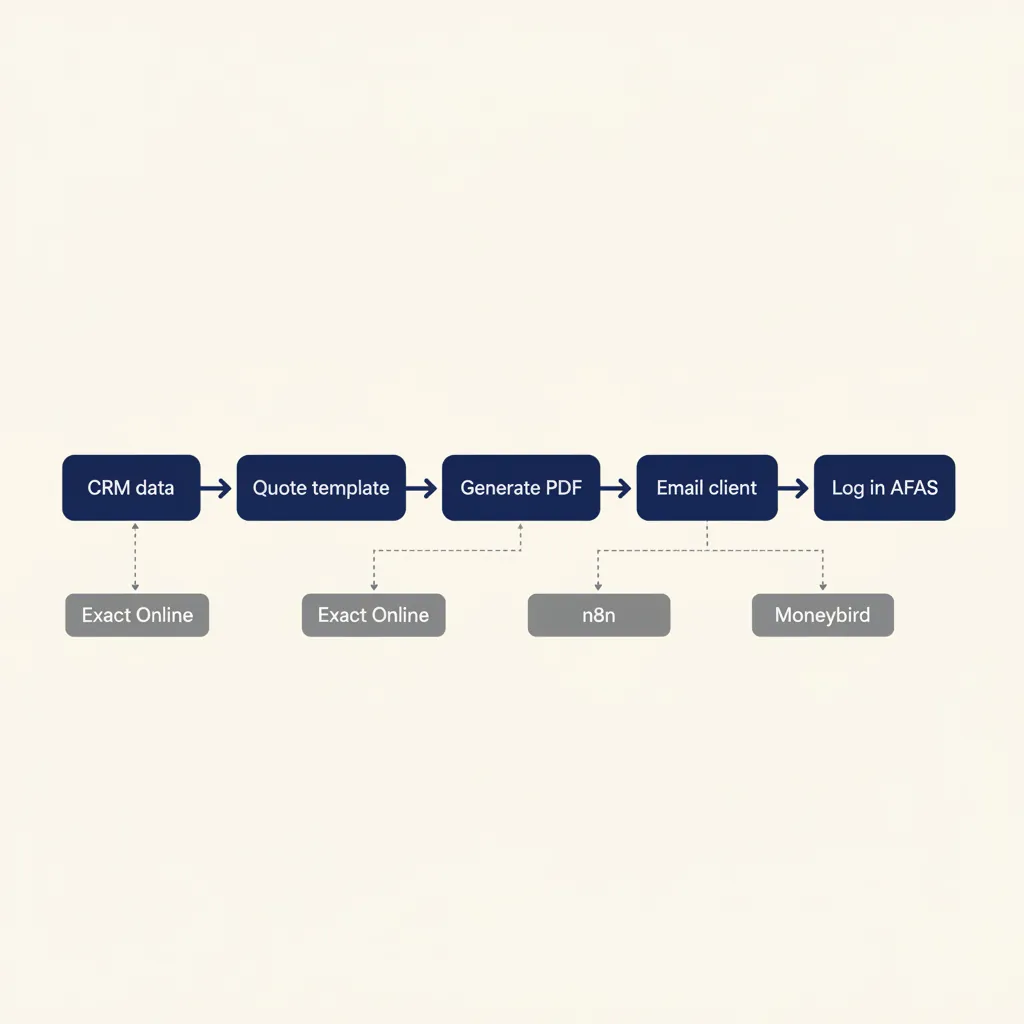
Real time savings come from automating recurring tasks: generating quotes from CRM data, routing purchase invoices to your accountant, answering customer questions with a custom GPT trained on your knowledge base. This is where tools like n8n, Make, and Zapier connect to the software you already use, AFAS, Exact Online, Moneybird, Mollie, and turn multi-step manual workflows into one-click automations.
Which processes deliver the fastest payback
Start with workflows that meet three criteria: high frequency, low complexity, and clear inputs. Examples we see in Dutch MKB projects:
| Process | What the workflow does | Time saved | Tools |
|---|---|---|---|
| Quote generation | Pull CRM data, fill branded template, send as PDF | ~30 min/quote | n8n + template + email |
| Invoice processing | Extract line items, match to POs, forward to Moneybird or Snelstart | 3-4 hrs/week | n8n + OCR + Moneybird/Snelstart |
| Customer intake | Capture form submission → CRM contact → welcome email + log | No more manual entry | n8n + form + CRM |
| Expense approval | Receipt photo → OCR extraction → Slack approval → accounting tool | No spreadsheet handoffs | n8n + OCR + Slack + accounting |
Pick one workflow, measure the current time spent per cycle, automate it, and track the hours saved over four weeks. That gives you a concrete ROI number to justify the next automation.
Integrations with Dutch SMB tools: AFAS, Exact Online, Moneybird, Mollie
Most Dutch SMBs run a mix of local and international SaaS: AFAS for HR and payroll, Exact Online or Moneybird for accounting, Mollie for payments, and a CRM like Pipedrive or HubSpot. The challenge isn't the tools themselves. It's the manual copying between them. Automation platforms like n8n and Make offer pre-built connectors for these tools, so you can trigger a workflow when a new invoice appears in Exact Online, or update AFAS employee records when someone fills a form.
For example: when a Mollie payment comes in, n8n can match it to an open invoice in Moneybird, mark it paid, and send a thank-you email to the customer. No manual reconciliation. The same logic works for HR onboarding (new hire in AFAS triggers laptop order, email account creation, and welcome sequence) or project tracking (time entry in your project tool updates Exact Online for invoicing).
From manual data entry to automated workflows
Manual data entry isn't just slow. It introduces errors: typos in customer names, wrong product codes, missed follow-ups. Automation eliminates the transcription step. Data flows directly from source to destination, validated by rules you define. If a required field is missing, the workflow pauses and notifies the right person. If a payment amount doesn't match the invoice, it flags the discrepancy instead of processing it silently.
This shift from manual to automated also creates an audit trail. Every workflow run logs who triggered it, what data moved, and when. That's useful for compliance (more on that below) and for diagnosing issues when something breaks.
The takeaway: process automation gives you speed, accuracy, and visibility that infrastructure alone can't deliver. We design and build these integrations end-to-end as business automation projects for Dutch SMEs — typically with the first workflow live in 2 to 4 weeks.
Running into this at your own business? We'll spend 30 minutes with you for free, no sales pitch. Book a free intro call
What most automation providers get wrong (and how to avoid it)
Many ICT providers sell you a tool stack without mapping your process first. The result: an expensive integration that doesn't fit how your team works, or a chatbot that answers the wrong questions. Here are the mistakes we see most often in Dutch MKB projects, and the steps you should take before spending a euro on software.
Mistake 1: automating before the process is clear
We've seen companies automate a quote-approval workflow that had five different approval paths depending on deal size, customer type, and product category, but no one had written down the rules. The automation broke within a week because edge cases weren't handled. The fix took longer than building it from scratch.
Before you automate, document the current process: who does what, in what order, and what triggers each step. If your team can't agree on the steps, the automation won't magically resolve that. Fix the process first, then automate it.
Mistake 2: generic AI tools that don't connect to your knowledge base
A generic ChatGPT subscription can draft emails, but it doesn't know your product specs, pricing rules, or customer history. If you want an AI agent that answers customer questions accurately, you need to train it on your own documentation: product manuals, FAQ pages, past support tickets. That's what a custom GPT or RAG setup does. It grounds the model's answers in your data, so it doesn't hallucinate details or contradict your sales team.
When we deliver custom GPTs for Dutch SMBs, document quality is the biggest predictor of success. If your knowledge base is scattered across Word files, old wikis, and people's heads, the AI will reflect that chaos. Clean and structure your docs first. Our AI agent projects always start with a content audit for this reason.
The process audit you should always do first
Before you buy any automation tool, run a one-week process audit:
- Pick three high-frequency workflows (quotes, invoices, customer intake).
- Ask the people who run them to log every step: what tool they open, what data they copy, how long it takes.
- Map the current state on a whiteboard or in a flowchart tool.
- Identify the repetitive, rule-based steps (those are automation candidates).
- Estimate time saved per cycle if those steps were automated.
This audit costs you a few hours but saves you from automating the wrong thing. It also surfaces process inconsistencies that need fixing regardless of automation.
The lesson: don't let a vendor sell you a solution before you've diagnosed the problem. A clear process map beats a fancy tool every time.
GDPR-compliant automation: what to arrange before you start
As soon as you automate workflows that touch customer data, invoices, or employee records, the AVG (Dutch GDPR) applies. This section covers the steps you need to take to stay compliant: processor agreements with tool vendors, logging of automated decisions, and how to handle data minimization in your workflows. We'll also touch on NIS2, which hit Dutch SMBs in critical sectors in late 2024.
Processor agreements and logging requirements
Under the AVG, any third-party tool that processes personal data on your behalf is a processor. You need a written processor agreement (verwerkersovereenkomst) with each one. Most SaaS vendors offer a standard Data Processing Agreement (DPA); check their legal or security page. For tools like n8n, Make, Zapier, AFAS, Exact Online, and Moneybird, the DPA is usually available as a PDF or clickthrough.
You also need to log what your automations do with personal data. If a workflow automatically approves or rejects a customer request, or scores a lead based on behavior, you must be able to explain the logic behind that decision. Store workflow run logs for at least the retention period required by your data-retention policy (often 1-7 years depending on the data type).
Data minimization in automated workflows
The AVG requires you to collect and process only the data you actually need. In automation, that means: don't pull an entire customer record if you only need an email address and order number. Configure your workflow to request the minimum fields. For example, if you're syncing contacts from a form to your CRM, map only the fields you'll use for follow-up. Don't copy phone numbers, birthdates, or notes if they're not relevant to the workflow's purpose.
Data minimization also applies to retention. If your workflow archives old invoices to a cloud bucket, set an automatic deletion rule after the legally required retention period (7 years for Dutch tax records). Don't keep data indefinitely just because storage is cheap.
NIS2 and automation for critical SMB sectors
The NIS2 directive came into force across the EU on October 17, 2024. It expands cybersecurity obligations to medium and large companies in critical and important sectors: energy, transport, health, digital infrastructure, public administration, and more. If your SMB falls under NIS2, you must implement risk management measures, incident reporting, and supply-chain security.
Automation can help you meet some of these requirements: automated logging of access attempts, automated alerts when a workflow fails or behaves unexpectedly, and automated backups with integrity checks. If you're building workflows that touch critical systems, document the security controls in each step: encryption in transit, access restrictions, audit trails. That documentation becomes part of your NIS2 compliance evidence.
The practical point: compliance isn't a blocker to automation. It's a design constraint. Build logging, access control, and data minimization into your workflows from day one, and you'll pass audits without retrofitting later.
A step-by-step plan for your first automation project
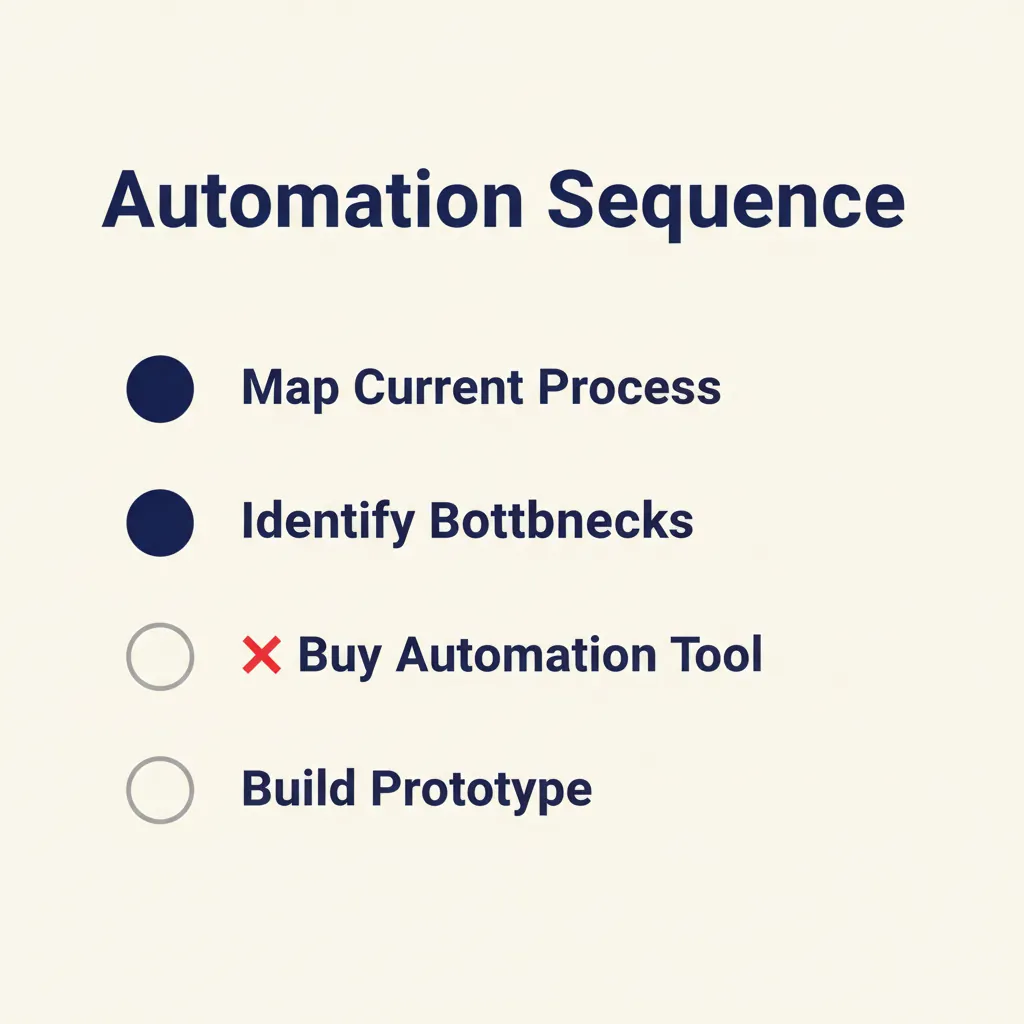
Start small, measure results, then scale. This section gives you a concrete roadmap: pick one repetitive process (for example, quotes or invoice processing), map the current steps, build a prototype with n8n or Make, test for two weeks with your team, and measure the hours saved. Then move to the next workflow.
Step 1: Choose one high-frequency, low-complexity workflow. Good first candidates: quote generation, invoice forwarding, customer intake forms, expense approvals. Avoid workflows with many exceptions or judgment calls; save those for later.
Step 2: Map the current process. Write down every step: who does it, which tool they use, what data they copy, how long it takes. Use a simple flowchart or bullet list. Share it with the people who run the process and ask them to correct mistakes.
Step 3: Build a prototype. Use n8n (self-hosted or cloud) or Make to connect the tools in your workflow. For example, if you're automating quote generation: trigger on new CRM deal, pull customer and product data, fill a Google Docs or Word template, convert to PDF, send via email. Don't aim for perfection; aim for a working prototype you can test.
Step 4: Test with your team for two weeks. Run the automation alongside the manual process. Compare outputs: does the automated quote match what your sales team would write by hand? Does it handle edge cases (discounts, custom line items)? Collect feedback and fix issues.
Step 5: Measure time saved. Track how many cycles ran in two weeks and multiply by the time saved per cycle. For example, if you automated 20 quotes and each one used to take 30 minutes, you saved 10 hours. Divide the setup cost (your time or a consultant's fee) by the weekly savings to get payback in weeks.
Step 6: Document and hand off. Write a one-page runbook: what the workflow does, how to trigger it manually if needed, where logs are stored, who to contact if it breaks. Train at least two people on your team so you're not the single point of failure.
Step 7: Pick the next workflow. Use the same process. Prioritize by ROI: high frequency, clear rules, painful manual steps. Over six months, you'll automate 3-5 workflows and reclaim hours every week.
The key is to start with one win, prove the value, and build momentum. If you need help choosing the right first project or mapping the process, our AI consultancy service includes a free automation-readiness scan.
Conclusion
Office automation doesn't stop at IT infrastructure. The real time savings come from automating repetitive workflows: quotes, invoices, customer communication, expense approvals. Traditional ICT providers give you a stable workplace, but they don't cut the hours your team spends on manual data entry and follow-ups. Start with one high-frequency process, map the current steps, build a prototype, and measure the hours saved. Once you have one win, scale to the next workflow. Want to know which process will give you the fastest ROI? Book a free consultation and we'll walk you through a process audit tailored to your business.
Frequently asked questions
What is the difference between office automation and process automation?
Office automation covers IT infrastructure: servers, networks, helpdesk, software installations. Process automation focuses on the workflows your team runs every day: generating quotes, processing invoices, routing approvals. Infrastructure keeps systems stable; process automation cuts manual work and saves hours per week.
Which processes should I automate first in my SMB?
Start with high-frequency, rule-based workflows: quote generation, invoice processing, customer intake forms, or expense approvals. Pick one that happens at least weekly, has clear inputs and outputs, and takes 20+ minutes of manual work per cycle. Measure time saved after two weeks, then move to the next workflow.
How long before an automation project pays for itself?
For simple workflows (quote generation, invoice forwarding), payback is typically 4-8 weeks if you handle 10+ cycles per week. Calculate: (setup cost in hours or euros) divided by (hours saved per week × your hourly rate). A workflow that saves 4 hours per week at €50/hour pays back a €800 setup in 4 weeks.
Do I need a dedicated IT team to implement process automation?
No. Tools like n8n, Make, and Zapier are designed for non-developers. What you do need is someone who maps your process, sets up reliable integrations with AFAS, Exact Online, or Moneybird, and handles the edge cases. We build these workflows end-to-end for SME clients and train your team to extend them afterwards.
How do I make sure my automation is GDPR-compliant?
Sign a Data Processing Agreement (DPA) with every tool vendor that processes personal data. Log what your workflows do with that data (who accessed it, when, why). Only collect the fields you actually need (data minimization), and set automatic deletion after your legal retention period. Build these controls into the workflow from day one.
Can I connect AFAS or Exact Online to automation tools like n8n or Make?
Yes. Both n8n and Make offer pre-built connectors for AFAS and Exact Online. You authenticate via API key or OAuth, then trigger workflows when data changes (new invoice, updated employee record) or push data from other tools into AFAS or Exact. Check the tool's integration directory for setup guides.
Sources
Curious what AI can do for your business?
We listen, think along, and quickly deliver something that works. No obligations, no pressure.