



Last updated: May 9, 2026
AI for accountants: tools and workflows for SME firms
You've tried ChatGPT for a few prompts, but your daily work stays the same: entering receipts, checking invoices, updating time sheets. Most AI lists mention tools that don't integrate with AFAS or Exact Online, and nobody explains how to stay GDPR-compliant when you run client data through a model. For accountants working with Dutch SMEs, AI saves real time only when it connects to the tools you already use (AFAS, Exact, Snelstart, Twinfield) and respects AVG rules. In the projects we deliver for Dutch accounting firms, we see the same pattern: the first workflow (invoice processing, expense approval, VAT checks) pays back in 3 to 6 weeks, then teams expand from there.
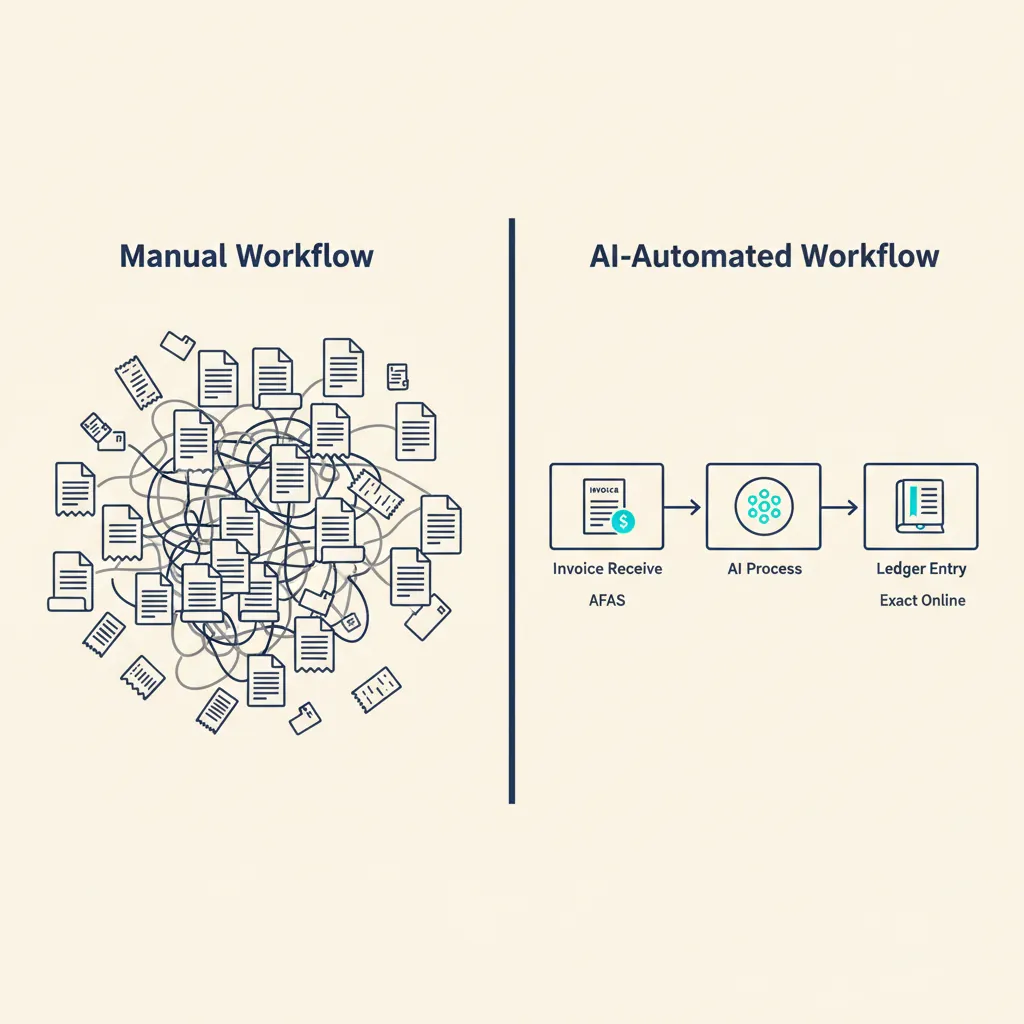
This post shows where AI cuts hours today, which tools integrate with Dutch accounting software, how to avoid common compliance mistakes, and how to build a custom GPT trained on your firm's knowledge base.
| Use case | Tool / approach | Integration with NL software | Time saved per week |
|---|---|---|---|
| Invoice processing (OCR) | Dext, Vic.ai, or n8n + OCR API | Dext has native Exact Online connector; Vic.ai requires API or Make/n8n | 4-8 hours |
| Expense approval | Expensify, custom workflow in Make/n8n | API integration with AFAS, Exact, Snelstart | 2-4 hours |
| VAT return prep | Custom GPT + Excel export, or scripted checks in n8n | Works with any export from Exact/AFAS | 1-3 hours |
| Client communication | Custom GPT trained on firm handbook | No software integration needed | 3-6 hours |
Where AI saves accountants real time now
AI cuts hours when it automates repetitive tasks you do every week: scanning invoices, matching receipts to transactions, checking expense claims against policy, preparing VAT returns for the Belastingdienst (Dutch tax authority). Here are the workflows Dutch SME accounting firms already run.
Invoice processing and OCR integration with your accounting software
Invoice processing is the highest-volume task in most firms. An OCR tool reads the PDF or photo, extracts supplier name, amount, VAT rate, and date, then pushes the line into your accounting package. Dext (formerly Receipt Bank) has a native connector for Exact Online and can export to AFAS and Twinfield. Vic.ai focuses on larger firms and requires API work or a Make/n8n workflow to connect to Dutch software. If you prefer full control, build your own: n8n calls an OCR API (Google Vision, Azure Document Intelligence), parses the JSON, and writes the transaction into Exact or AFAS via their REST API. The before-and-after: manual entry takes 3 to 5 minutes per invoice; OCR plus review takes 30 seconds. For a firm processing 200 invoices per month, that's 6 to 8 hours saved.
Expense management and automatic approval
Expense claims pile up at month-end. Employees submit receipts via Expensify or a custom form; the tool checks the amount against policy (meal limit, mileage rate), flags outliers, and routes approved claims to your accounting package. Expensify integrates with Exact Online and Snelstart through Zapier or native connectors. For AFAS users, we build a Make or n8n workflow that reads the expense export, applies your approval rules, and writes approved lines into AFAS. One client (a 12-person consultancy) cut expense processing from 4 hours per month to 45 minutes. The key is defining clear approval rules upfront: which categories need manager sign-off, which amounts auto-approve, and where the bot should escalate.
VAT return preparation and Belastingdienst reports
Quarterly VAT returns (BTW-aangifte) involve exporting transactions from your accounting software, checking the totals, and filing with the Belastingdienst. A custom GPT trained on Dutch VAT rules can review your export for common errors: missing reverse-charge markers, incorrect rates on cross-border services, duplicate entries. You paste the Excel sheet into the GPT, it flags issues, you fix them before filing. For firms handling 10 to 20 clients, this review step saves 1 to 3 hours per quarter. The GPT doesn't file for you (that still requires your login and approval), but it catches mistakes a tired human misses at 5 PM on deadline day.
These three workflows share a pattern: AI handles the repetitive scanning and checking, you handle the judgment calls and final approval. That split is where time savings land without losing control.
AI tools that integrate with AFAS, Exact Online, and Snelstart
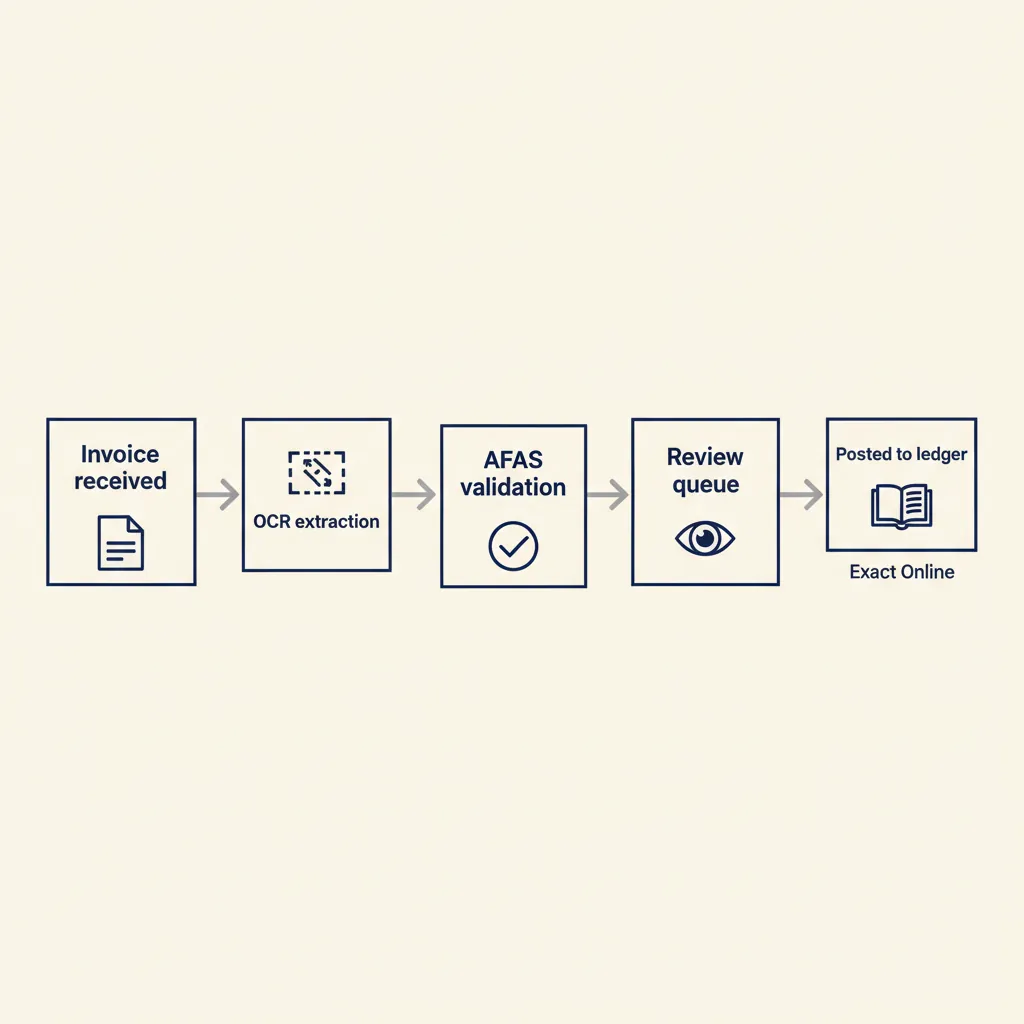
International tools like Dext, Vic.ai, and Expensify appear in every AI-for-accountants list, but do they work out-of-the-box with Dutch accounting software? Here's what we see in practice. Dext has native connectors for Exact Online and can export CSV or XML for AFAS, Twinfield, and Snelstart. Setup takes 20 to 30 minutes. Vic.ai focuses on AP automation for larger firms (50+ employees) and requires API integration or a middleware layer (Make, n8n) to push data into AFAS or Exact. Expensify connects to Exact Online via Zapier or a direct integration; for AFAS and Snelstart, you export approved expenses as CSV and import them manually or via a scheduled script.
If none of these tools fit, or you want full control over the workflow, our business automation work builds custom connectors using n8n or Make. You define the trigger (new invoice email, new expense submission), the transformation logic (extract fields, apply rules, format for your accounting package), and the destination (AFAS REST API, Exact Web Services, Snelstart API). The client owns the workflow and can tweak it without vendor lock-in. For a 5-person firm, a custom invoice-processing workflow costs less than a year of Dext subscriptions and adapts to your exact process.
The takeaway: pick a tool with a native connector if your process is standard, build a custom workflow if you need flexibility or run a less common accounting package.
Running into this at your own business? We'll spend 30 minutes with you for free, no sales pitch. Book a free intro call
What most accounting firms get wrong with AI (and how to use it safely)
Many firms paste client data into the free ChatGPT web interface or build a custom GPT without thinking through GDPR compliance and professional liability. Here's what goes wrong and how to fix it.
GDPR compliance: which data can go through an AI model
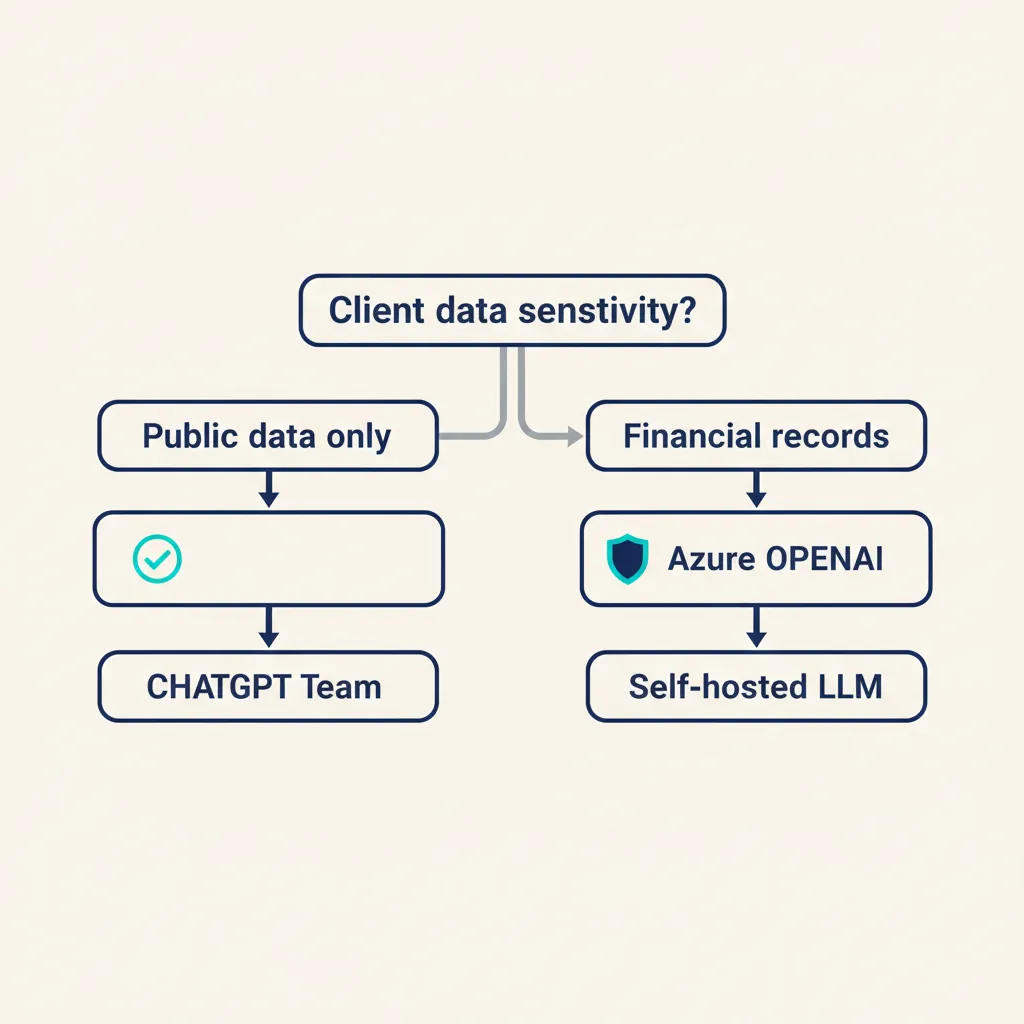
Under the AVG (the Dutch implementation of GDPR), client financial data is personal data. If you paste an invoice, a payroll sheet, or a transaction list into ChatGPT, you're processing personal data. The free ChatGPT version (and the standard Plus plan) can use your inputs to train future models unless you opt out in settings. That violates GDPR's data-minimization and purpose-limitation principles. The safe options: use ChatGPT Team (OpenAI's business plan with a data-processing agreement), Azure OpenAI (Microsoft hosts the model in EU data centers and signs a DPA), or a self-hosted open-source model (Llama, Mistral) running on your own server or a European cloud provider. ChatGPT Team costs around $30 per user per month and includes a DPA that covers you under GDPR. Azure OpenAI requires an Azure subscription and charges per token; setup is more technical but gives you full control over data residency.
Rule of thumb: never paste client names, BSN numbers, or transaction details into a public AI tool. If you need to analyze client data, anonymize it first (replace names with codes, aggregate transactions) or use a GDPR-compliant platform with a signed DPA.
Liability and control: who is responsible for AI errors
If an AI model makes a mistake in a VAT return and the Belastingdienst fines your client, who pays? Under Dutch law, the accountant is responsible for the accuracy of filings, even if you used an AI tool to prepare them. The model is an assistant, not a substitute for professional judgment. In practice, that means: always review AI output before you sign or file, document which checks you ran ("reviewed VAT totals, confirmed reverse-charge entries, spot-checked 10 transactions"), and keep a record of the prompts and outputs in your working papers. If a client sues, you need to show you exercised due care. One firm we work with logs every GPT interaction in a separate folder per client, timestamped and linked to the final deliverable. It's extra admin, but it protects you if something goes wrong.
ChatGPT Team, Azure OpenAI, or self-hosted: what fits your firm
ChatGPT Team works for most small firms (3 to 15 people). You get a shared workspace, a DPA, and the ability to build custom GPTs trained on your internal docs. Setup takes 10 minutes. Azure OpenAI suits larger firms (20+ people) or those with strict data-residency requirements (e.g., government clients, healthcare). You host the model in your own Azure tenant, data never leaves the EU, and you control retention policies. Setup requires a developer or IT partner. Self-hosted open-source models (Llama 3, Mistral) give you full control but need server infrastructure and ongoing maintenance. We recommend self-hosted only if you already run on-premise servers or have a strong reason to avoid US-based vendors. For most Dutch SME accounting firms, ChatGPT Team is the pragmatic choice: GDPR-compliant, low setup cost, and good enough for 90% of use cases.
The pattern we see: firms that skip the compliance step get burned when a client asks "where is my data stored?" and they can't answer. Do the DPA and data-residency work upfront.
Building a custom GPT for your accounting firm: step-by-step
A custom GPT trained on your firm's handbook, FAQ, and sector-specific knowledge (construction, hospitality, healthcare) saves 3 to 6 hours per week on repetitive client emails and internal questions. Here's how to build one. First, gather your source documents: your internal procedures manual, templates for common letters (payment reminders, year-end checklists), answers to the 20 questions clients ask every month, and any sector guides you've written (e.g., "VAT rules for Dutch hospitality businesses"). Export them as plain text or Markdown. Second, create a custom GPT in ChatGPT Team. Go to the GPT builder, upload your documents, and write a system prompt that defines tone and scope. Example: "You are an assistant for [Firm Name], a Dutch accounting firm serving SMEs in construction and hospitality. Answer questions about our services, Dutch VAT rules, and common bookkeeping tasks. Always cite the source document. If you don't know, say so and suggest contacting the team." Third, test the GPT with real questions your team handled last month. Ask it: "How do I handle reverse-charge VAT on a German supplier invoice?" or "What's the deadline for Q1 VAT returns in 2025?" Check that the answers match your internal policy and Dutch law. If the GPT hallucinates (invents a rule that doesn't exist), refine the prompt or add a fact-check step. Fourth, roll it out to your team. Share the GPT link in your internal chat (Slack, Teams), explain what it's good for (quick lookups, draft emails, policy questions) and what it's not (final tax advice, signing off on returns). Track usage for a month and ask for feedback.
Our custom GPT work includes the full build, testing with your team, and a handover session so you can update the knowledge base yourself. Typical build time is 1 to 2 weeks. The GPT lives in your ChatGPT Team workspace; you own the data and can export or delete it anytime.
The payoff: your junior staff get instant answers to policy questions without interrupting a senior accountant, and client emails get drafted faster because the GPT pulls the right template and fills in the details. One 8-person firm measured a 40% drop in "quick question" Slack messages after rolling out their custom GPT.
Conclusion
AI saves Dutch accountants real time when it integrates with the tools you already use (AFAS, Exact Online, Snelstart) and respects AVG compliance. Start small: pick one repetitive workflow (invoice processing, expense approval, VAT checks), automate it with a tool that has a native connector or a custom n8n workflow, measure the hours saved, and expand from there. Always use a GDPR-compliant AI platform (ChatGPT Team, Azure OpenAI, or self-hosted), review every output before you file or send it, and document your checks for liability protection. A custom GPT trained on your firm's knowledge cuts 3 to 6 hours per week on client communication and internal questions. The firms that see ROI fastest are the ones that define clear approval rules, test the workflow with real data, and train their team to use AI as an assistant, not a replacement for judgment.
For a related angle, see our post on AI for business: practical guide for Dutch SMEs.
Frequently asked questions
Which AI tools integrate directly with AFAS or Exact Online?
Dext has a native connector for Exact Online and exports to AFAS via CSV or XML. Vic.ai and Expensify require API integration or a Make/n8n workflow to connect to AFAS. For full control, we build custom workflows using n8n that connect to the AFAS or Exact API.
Can I run client data through ChatGPT as an accountant?
Only if you use ChatGPT Team (with a signed data-processing agreement) or Azure OpenAI hosted in the EU. The free ChatGPT web interface can use your inputs to train future models, which violates GDPR. Never paste client names, BSN numbers, or transaction details into a public AI tool.
How much does it cost to build a custom GPT for my accounting firm?
A custom GPT built on ChatGPT Team (around $30 per user per month) plus a one-time setup fee for document preparation, prompt engineering, and testing typically runs €1,500 to €3,000. You own the knowledge base and can update it yourself after handover.
Who is liable if an AI model makes a mistake in a VAT return?
You are. Under Dutch law, the accountant is responsible for the accuracy of filings, even if you used an AI tool to prepare them. Always review AI output before you sign or file, and document your checks in your working papers.
Can I use AI for fraud detection in bookkeeping?
Yes. Tools like MindBridge AI Auditor scan transaction data for anomalies (duplicate payments, unusual amounts, off-hours entries). For Dutch SME clients, we build simpler rule-based checks in n8n (flag transactions above €5,000 without approval, detect duplicate invoice numbers) that catch 80% of errors without the cost of a full fraud-detection platform.
Sources
Curious what AI can do for your business?
We listen, think along, and quickly deliver something that works. No obligations, no pressure.