



Last updated: July 1, 2026
AI agent for customer service: what it is and what it does
Your customer support team answers the same questions ten times a day while quotes and invoices pile up. An AI agent for customer service takes over those repetitive questions, so your team can focus on customers who genuinely need help. In the projects we deliver for Dutch SMBs, we see support agents spending 60-70% of their time on routine lookups (order status, return policy, opening hours) that a well-integrated AI agent handles in seconds. The result: faster responses for customers, more time for your team to solve real problems, and a measurable drop in support backlog.
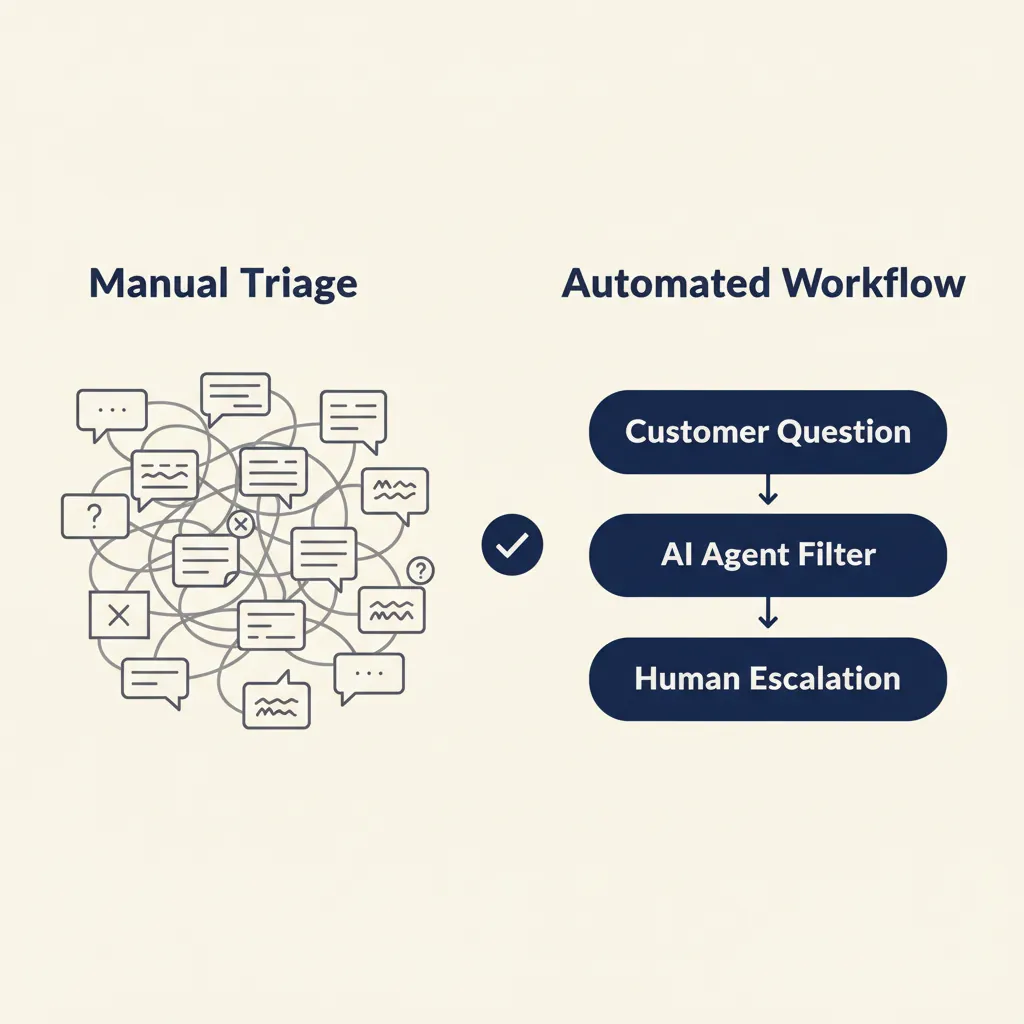
This guide explains what an AI agent for customer service actually is, what you can do with it in a Dutch SMB context, how it connects to the tools you already run (AFAS, Exact Online, Moneybird, Mollie), and what you need to arrange for AVG compliance and NIS2. We also call out the three mistakes most agencies make when deploying AI support agents, and how to avoid them.
What is an AI agent for customer service?
An AI agent for customer service is a system that understands customer questions in natural language, retrieves answers from your knowledge base or connected tools, and escalates to a human when it can't resolve the request. Unlike a simple chatbot that matches keywords to pre-written replies, an AI agent can take multi-step actions: look up an order in AFAS, draft a return label, update a ticket in your CRM, or check payment status in Mollie.
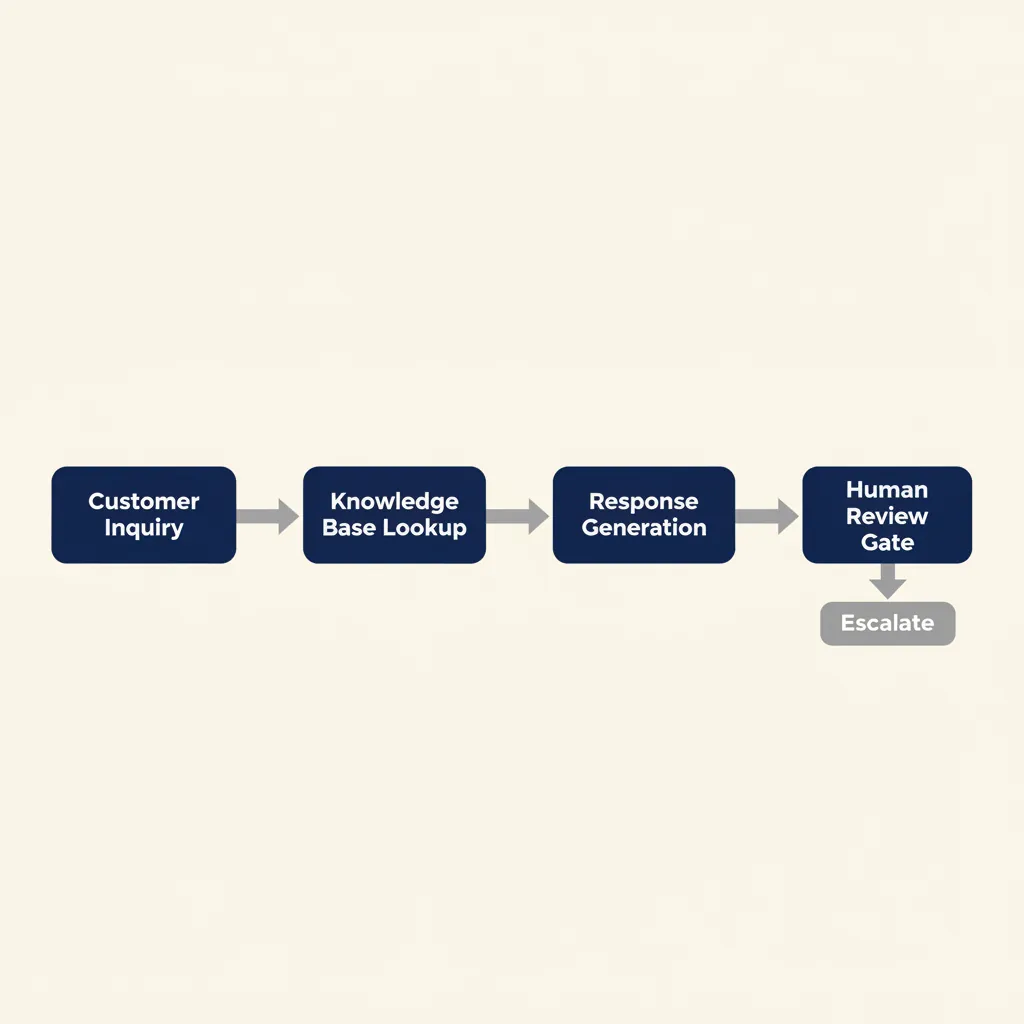
The agent lives where your customers already reach you: email, WhatsApp Business, live chat on your webshop, or a customer portal. It reads the incoming message, decides what information it needs, fetches that data from your accounting or CRM system, and replies in conversational Dutch or English. When the question requires judgment (a complaint, a refund request outside policy, a technical issue), the agent hands off to a human and passes along the context it gathered.
The distinction between a chatbot and an agent matters. A chatbot answers questions from a fixed script. An agent executes a process: it can create a record, update a status, trigger a workflow in n8n or Make, and confirm the result to the customer. That capability is what makes it useful for SMBs that run on systems like Exact Online or Teamleader, not just static FAQ pages.
For a Dutch SMB, the practical test is simple: if your support team spends more than an hour a day answering the same five questions, an AI agent will pay for itself in the first month.
What you can do with it: concrete use cases for SMBs
FAQ automation: answers to recurring questions
The most common use case: product specifications, opening hours, return policy, delivery times, warranty terms. Your team answers these questions dozens of times per week, often copy-pasting from a document or your website. An AI agent pulls the answer from your knowledge base (a Notion page, a Google Doc, a help center) and replies instantly.
Before: Customer emails "What's your return policy?", waits 4 hours for a reply, support agent opens the email, copies the policy text, sends it.
After: Customer asks via chat, agent replies in 8 seconds with the policy and a link to the form.
The time saved scales with volume. If your team handles 50 FAQ emails per week at 3 minutes each, that's 2.5 hours freed up. Over a year, that's 130 hours, roughly three working weeks.
Order and invoice lookups
Customers ask "Where is my order?" or "Can you send me invoice 2024-1234?" Your agent connects to Exact Online, Moneybird, or AFAS via API, retrieves the order status or invoice PDF, and sends it back. No manual lookup, no switching between systems.
Before: Support agent logs into Exact Online, searches by customer name or order number, downloads the invoice, attaches it to an email reply. Takes 4-6 minutes per request.
After: Customer types "I need invoice 2024-1234", agent fetches it from Exact Online in 10 seconds, replies with a download link.
For e-commerce SMBs or wholesale operations processing 100+ orders per week, this use case alone justifies the agent. In our business automation work, we see order-lookup automation cut support time by 40-50% in the first month.
Appointment booking and rescheduling
Horeca reservations, service calls in construction, consultation slots for professional services: customers want to book or move an appointment without calling. The agent checks availability in your calendar (Google Calendar, Outlook, a booking system), proposes times, and confirms the slot.
Before: Customer calls, leaves a voicemail, waits for a callback, plays phone tag for two days.
After: Customer asks "Can I move my appointment to Thursday afternoon?", agent shows three available slots, customer picks one, agent updates the calendar and sends a confirmation.
This works particularly well for horeca and service businesses where appointment volume is high but each booking is straightforward. The agent handles the routine, your team handles the exceptions.
Triage and routing to the right team member
Not every question can be automated. But every question can be triaged. The agent reads the incoming message, determines the topic (billing, technical support, returns, general inquiry), collects the relevant context (customer name, order number, previous tickets), and routes it to the right person with a summary.
Before: All support emails land in one inbox, first available agent opens each one, reads the thread, figures out who should handle it, forwards it.
After: Agent reads the email, tags it (billing / technical / returns), extracts key details, creates a ticket in Pipedrive or Teamleader with the summary, assigns it to the specialist.
This doesn't eliminate human work, but it eliminates the context-switching and the "who should handle this?" question. Your specialists spend their time solving problems, not sorting email.
Which use case should you start with? Pick the one your team answers most often. If you're drowning in "Where is my order?" emails, start there. If your calendar is a mess of rescheduling requests, start there. One high-volume use case, automated end-to-end, proves the value faster than trying to cover everything at once.
Integration with Dutch SMB tools: AFAS, Exact Online, Moneybird and more
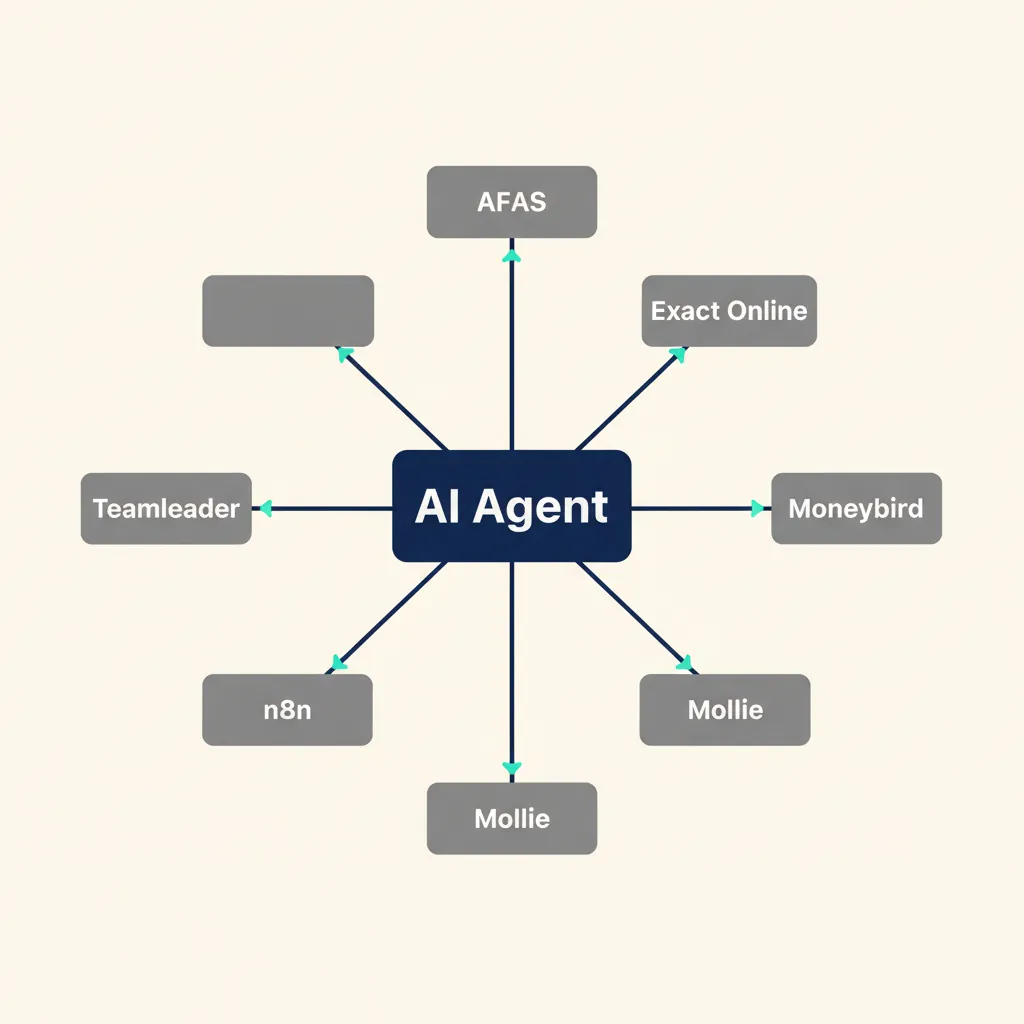
An AI agent is only as useful as the systems it connects to. For Dutch SMBs, that means AFAS for ERP and order management, Exact Online or Moneybird for accounting and invoicing, Mollie for payment status, and Teamleader, Pipedrive, or Simplicate for CRM. The agent needs to read from and write to these tools in real time, not rely on manual copy-paste.
Integration happens via API or automation platforms like n8n, Make, or Zapier. The agent sends a request ("get invoice 2024-1234 from Exact Online"), the automation platform fetches the data, and the agent formats the reply. For more complex workflows (create a return in AFAS, update inventory, send a confirmation email), the automation platform orchestrates the steps and the agent confirms the result to the customer.
Common integrations we build for Dutch SMB clients:
- AFAS: order lookups, customer data, product availability, invoice generation
- Exact Online or Moneybird: invoice retrieval, payment status, outstanding balances
- Mollie: payment confirmation, refund status
- Teamleader, Pipedrive, Simplicate: ticket creation, contact updates, project status
- Google Calendar, Outlook: appointment booking, availability checks
What you need to prepare before integration: clean data (customer names and order numbers match across systems), a documented process (who approves refunds, which questions require a human), and API access (most Dutch SMB tools offer REST APIs on their standard plans, but you may need to enable it in settings or request credentials from support).
The integration step is where most DIY attempts stall. The tools exist, but connecting them correctly requires understanding both the AI model's capabilities and the quirks of each API. In our AI agent projects, we handle the integration end-to-end, so the agent goes live with your real data from day one, not dummy examples.
Running into this at your own business? We'll spend 30 minutes with you for free, no sales pitch. Book a free intro call
GDPR, NIS2 and data processing: what you need to arrange
An AI agent processes customer data: names, email addresses, order details, sometimes payment information. Under GDPR (known as AVG in the Netherlands), that makes you the controller and the AI provider the processor. You need three things in place before you go live.
First, a processing agreement with your AI vendor. This document specifies what data the agent processes, where it's stored, how long it's retained, and what happens if there's a data breach. Most reputable AI platforms (ChatGPT Enterprise, Claude Team, custom-built agents on EU infrastructure) offer standard processing agreements. If your vendor can't provide one, that's a red flag.
Second, a record of processing activities. The Autoriteit Persoonsgegevens (Dutch DPA) requires every business processing personal data to document what data they collect, why, and how long they keep it. Add your AI agent to that record: "Customer support chatbot processes name, email, order number; data retained for 30 days; stored on EU servers."
Third, a plan for data retention and deletion. GDPR requires you to delete personal data when it's no longer necessary. For a support agent, that typically means 30-90 days after the conversation ends, unless the customer has an ongoing order or subscription. Configure your agent to purge old conversations automatically, or set a manual review process.
NIS2, the EU cybersecurity directive that came into force in October 2024, affects certain SMB sectors: digital infrastructure providers, healthcare, food supply, waste management, and some manufacturing. If you fall under NIS2, you must log access to customer data, report security incidents within 24 hours, and document your security measures. An AI agent counts as a processing system, so include it in your NIS2 compliance documentation. Check with the NCSC (Nationaal Cyber Security Centrum) or your accountant if you're unsure whether NIS2 applies to you.
The practical takeaway: start with a vendor that offers EU data residency (servers in the Netherlands, Germany, or Ireland) and a standard processing agreement. That covers 90% of AVG requirements. For NIS2, add logging and incident reporting to your deployment checklist if your sector is covered.
What most agencies get wrong with AI customer service
Three anti-patterns we see repeatedly when SMBs try to deploy AI support agents, and how to avoid them.
Deploying the agent before documenting the process. The agent can only execute the process you give it. If your return policy says "manager approval required for returns over €100" but that rule isn't written down anywhere, the agent will either guess (wrong) or escalate every return (defeating the purpose). We see this most often in family businesses where the process lives in the owner's head. The fix: spend two hours writing down the decision tree before you configure the agent. Who approves what? Which questions always go to a human? What's the exact wording of your return policy? The agent will follow the rules you give it, but it can't invent them.
Choosing a platform for features rather than integration fit. A SaaS chatbot with 50 features sounds impressive, but if it can't connect to Exact Online or AFAS, your team still has to look up every order manually. The agent becomes a glorified FAQ page. The fix: list the three systems your agent must integrate with (accounting, CRM, payment processor), then pick a platform that connects to all three. In our AI consultancy work, we map the integration requirements first, then select the model and platform that fit your stack, not the other way around.
Skipping training for the support team. Your team sees the agent as a threat ("Will this replace me?") or a black box ("I don't trust what it says"), so they work around it: they answer emails manually, they override the agent's replies, they tell customers to ignore the chatbot and call instead. The fix: train your team alongside the agent. Show them what it can do, what it can't do, and how to step in when it escalates. Frame it as "the agent handles the boring stuff so you can focus on the interesting problems." In every project we deliver, we run a 1-hour training session with the support team before launch. That hour eliminates 90% of the resistance.
The pattern across all three mistakes: treating the agent as a plug-and-play tool rather than a process change. An AI agent works when it fits your process, your tools, and your team. Get those three aligned, and the agent pays for itself in weeks. Skip any one, and you'll spend months troubleshooting why adoption is low.
Conclusion
An AI agent for customer service works when it fits your process and your tools, not the other way around. Start with one high-volume use case (FAQ automation, order lookups, appointment booking), integrate it with the systems you already run (AFAS, Exact Online, Moneybird, Mollie), and make sure your team understands what the agent does and when to step in. Handle GDPR compliance upfront (processing agreement, data retention policy, EU data residency), and check whether NIS2 applies to your sector.
The ROI is straightforward: if your support team spends 10 hours per week on repetitive questions, an agent that handles 60% of that volume saves 6 hours per week, 24 hours per month, roughly 300 hours per year. At Dutch support-agent wages (€25-35/hour loaded cost), that's €7,500-10,500 per year. The agent typically costs €200-500/month to run, so payback happens in 2-4 months.
The mistake most SMBs make is waiting for the perfect solution. Start small: pick one use case, automate it end-to-end, measure the time saved, then expand. The businesses that win with AI are the ones that ship the first version in weeks, not the ones that plan for months.
For a related angle, see our post on Top 10 Workflow Automation Examples for Dutch SMEs.
Frequently asked questions
What does an AI agent for customer service cost?
Running costs typically range from €200 to €500 per month for a Dutch SMB, covering the AI model, hosting, and integration maintenance. Build costs depend on complexity: a single-use-case agent (FAQ automation or order lookups) takes 2-4 weeks to deliver, while a multi-system integration (AFAS + Exact Online + CRM) takes 4-8 weeks. We provide a fixed-price quote after mapping your process, so you know the total cost upfront.
Can an AI agent understand and reply in Dutch?
Yes. Modern AI models handle Dutch fluently, including regional variations and informal phrasing. The agent can also switch languages mid-conversation if a customer writes in English or German. In our projects for Dutch SMBs, we configure the agent to match your brand voice and tone, whether that's formal (for B2B) or conversational (for retail).
How long does it take to implement an AI agent?
For a single use case (FAQ automation, order lookups, or appointment booking), 2-4 weeks from kickoff to live. That includes process mapping, integration with one or two systems (e.g. Exact Online and your webshop), testing, and team training. Multi-system integrations (AFAS, CRM, payment processor, email) take 4-8 weeks. We deliver in sprints: you see a working prototype in week one, give feedback, and we refine until it fits your process.
What happens if the AI agent doesn't know the answer?
The agent escalates to a human and passes along the context it gathered (customer name, order number, conversation history). You configure the escalation rules: for example, refund requests over €100 always go to a manager, technical questions about product X go to the specialist. The agent never guesses; if it's uncertain, it hands off. In practice, 10-20% of conversations escalate in the first month, dropping to 5-10% once you've tuned the knowledge base.
Do I have to fire my customer support team if I deploy an AI agent?
No. The agent handles repetitive questions (order status, FAQs, simple lookups), freeing your team to focus on customers who need judgment, empathy, or expertise (complaints, complex technical issues, refund negotiations). In the Dutch SMB projects we deliver, headcount stays the same but support quality improves: response times drop from hours to minutes for routine questions, and your team spends their time solving real problems instead of copy-pasting invoice PDFs.
What data does an AI agent need to work?
The agent needs access to your knowledge base (FAQs, product specs, policies) and read access to the systems it queries (order data in AFAS, invoices in Exact Online, payment status in Mollie). It does NOT need access to your full customer database or financial records, only the specific data points required to answer support questions. We configure access permissions so the agent sees only what it needs, and we log every query for GDPR compliance. You own the data; the agent is a processor under AVG rules.
Sources
Curious what AI can do for your business?
We listen, think along, and quickly deliver something that works. No obligations, no pressure.